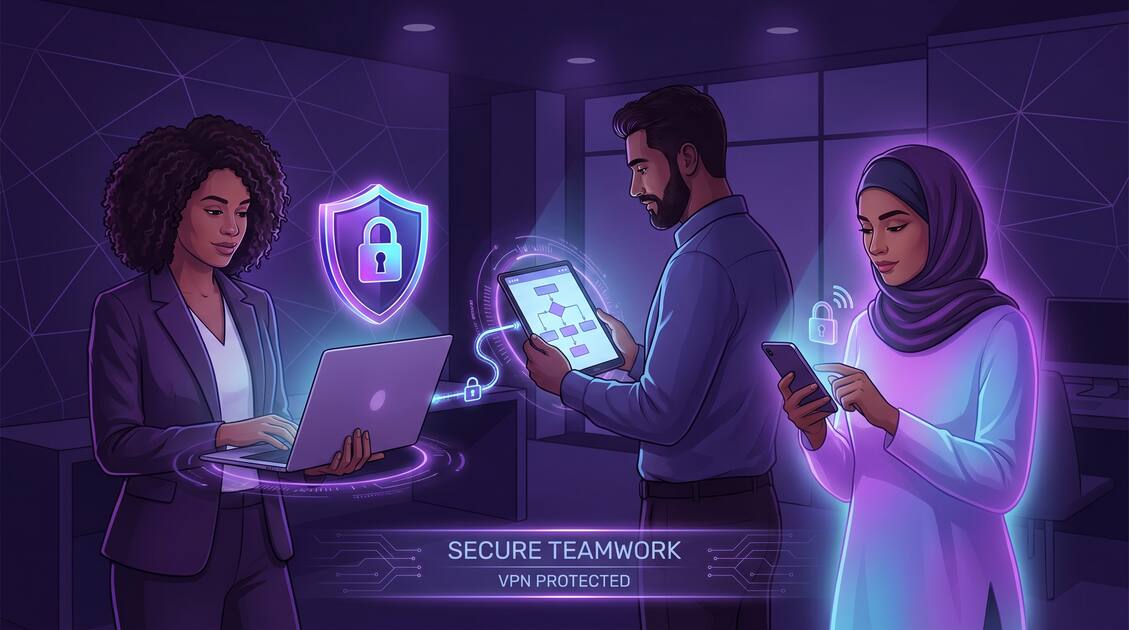
Small businesses face a critical choice in 2026: invest in comprehensive security or risk catastrophic data breaches, compliance violations, and loss of customer trust. For SMBs with 1-50 employees, the threat landscape has shifted dramatically. Cybercriminals now specifically target small businesses because they assume limited security budgets and minimal IT resources. A well-implemented VPN strategy isn't a luxury — it's essential infrastructure that protects your business, your employees, and your customers.
Why Small Businesses Need VPN Protection
Small businesses generate tremendous value through data — customer information, financial records, proprietary processes, and employee details. Unlike large enterprises with dedicated security teams and massive budgets, SMBs operate with lean IT resources and limited security infrastructure. This gap creates vulnerability.
VPN transforms your network security posture in three critical ways:
- Unified security layer: VPN protects all employee connections regardless of location or device, creating consistent security across your workforce
- Encrypted data protection: All business data traveling across networks is encrypted, preventing eavesdropping and interception by cybercriminals
- Compliance readiness: Many regulations (HIPAA, PCI-DSS, GDPR) mandate encrypted network connections. VPN helps you meet these requirements cost-effectively
Did You Know?
According to 2026 cybersecurity reports, 43% of cyberattacks target small businesses, yet only 36% of SMBs have a documented security plan. VPN is the foundational element most missing from SMB security strategies.
Real Security Threats SMBs Face
Understanding specific threats helps you build appropriate defenses. Small businesses face targeted attacks that exploit their predictable vulnerabilities.
1. Man-in-the-Middle (MITM) Attacks on Public WiFi
Your team works from coffee shops, airports, and client offices. Unencrypted WiFi networks are fishing ponds for attackers. Without VPN, a cybercriminal on the same WiFi network can intercept sensitive data, login credentials, and customer information in real-time. Your accountant connecting to the business bank account on airport WiFi is a walking target without VPN protection.
2. Ransomware and Network Infiltration
Ransomware attacks against small businesses increased 300% in recent years. Many begin with a single infected device on your network. VPN prevents lateral movement by isolating devices and ensuring encrypted communication that's harder for malware to exploit.
3. Credential Theft and Account Takeover
Employees using weak passwords or reusing credentials across multiple services become easy targets. When credentials are stolen via unencrypted connections, attackers gain access to your entire business infrastructure. VPN prevents credential interception at the network level.
4. Data Breaches from Remote Work
Remote employees access sensitive business data from home networks, mobile hotspots, and public WiFi. Without VPN, this data travels unencrypted. A single compromised home WiFi network exposes customer data and proprietary information.
Critical Risk
Without VPN protection, a data breach could cost your business $4,240 per compromised record (2026 average) plus regulatory fines, legal fees, and reputation damage. For a 5-person business with 100 customer records, that's $424,000+ in potential liability.
Balancing Employee Privacy & Security
VPN creates a sensitive balance between protecting business assets and respecting employee privacy rights. Get this wrong, and you damage trust. Get it right, and you build a culture where security and privacy coexist.
What VPN Should Monitor (Business Perspective)
From a business security standpoint, VPN enables monitoring of:
- Malware and security threats on business networks
- Data exfiltration attempts (unauthorized downloads of sensitive files)
- Access to inappropriate or illegal content that exposes the business to liability
- Unauthorized access to business systems
What VPN Should NOT Monitor (Privacy Perspective)
Employees have legitimate privacy rights. Ethical business VPN usage respects:
- Personal internet usage during non-work hours
- Communication with family, doctors, legal counsel, or therapists
- Personal social media, banking, or shopping activity
- Union organizing or employee communications about working conditions
The legal distinction: monitor security threats, not surveillance of personal activity. Clear policies that distinguish business vs. personal monitoring build trust while protecting your business.
Best Practice
Publish a transparent employee privacy policy documenting exactly what VPN monitors (malware, data breaches, policy violations) and explicitly what it doesn't (personal browsing, communications with legal/medical professionals). This honesty builds employee trust while maintaining security.
Protecting Remote Workforce Security
If your business has moved to remote or hybrid work, VPN is non-negotiable. Remote work multiplies security risks exponentially.
Home Network Vulnerabilities
Most home networks lack enterprise-grade security. Your employees' home routers might be outdated, running weak default passwords, or lacking basic security features. VPN creates a secure tunnel that bypasses these vulnerabilities, protecting business data regardless of home network quality.
Personal Device Security
Remote workers use personal laptops, tablets, and phones. These devices aren't under IT management and may lack security patches, antivirus software, or encryption. VPN protects sensitive business data even on poorly-maintained devices by ensuring encrypted transmission.
Mobile Hotspot Insecurity
Employees traveling between locations switch between WiFi networks and mobile hotspots constantly. Each connection change represents a security risk. VPN maintains consistent encryption across all network transitions, preventing exposure during switching.
Family Network Risks
In multi-person households, other family members use the same network. Guest accounts, children's devices, and smart home systems create additional attack vectors. VPN isolates business traffic from these household risks.
VPN Implementation Strategies
VPN implementation doesn't require massive budgets or complex infrastructure. SMBs can choose from multiple approaches based on their technical capabilities and requirements.
Strategy 1: Client-Based VPN (Simplest for SMBs)
Each employee installs a VPN app on their devices. This approach requires minimal IT infrastructure and works for businesses of any size. Free VPN offers client-based VPN that employees can install directly on iPhone, Android, Mac, Windows, and other devices.
- Pros: Simple deployment, no server infrastructure, automatic updates, works on any device
- Cons: Requires employee participation to enable VPN before connecting
Strategy 2: Router-Based VPN (Central Protection)
Configure VPN at your office router so all office network connections are automatically protected. Employees working in-office are protected without individual app installations.
- Pros: Transparent protection, no employee action required, protects all office devices
- Cons: Doesn't protect remote workers, requires technical router configuration
Strategy 3: Hybrid Approach (Recommended for Most SMBs)
Combine both approaches: configure router-based VPN for office security while deploying client VPN for remote workers. This provides comprehensive protection across all work scenarios.
VPN Best Practices for Business
Implementing VPN correctly requires attention to operational details that prevent common security mistakes.
1. Mandatory VPN Policy
Create a written policy requiring all employees to use VPN when accessing business systems or data. Document this in employee handbooks and obtain acknowledgment of understanding. Clear requirements prevent confusion and ensure consistent protection.
2. Regular Security Training
VPN protects network traffic, but employees can still fall victim to phishing, malware downloads, and social engineering. Combine VPN with regular security training covering password hygiene, phishing recognition, and safe browsing practices.
3. Multi-Factor Authentication (MFA)
VPN encrypts network connections but doesn't prevent compromised passwords. Layer protection by requiring MFA for all business applications and accounts. This prevents account takeover even if passwords are stolen.
4. Regular Software Updates
VPN apps require regular updates to patch security vulnerabilities. Establish a process ensuring all employees keep their VPN client updated to the latest version. Outdated VPN apps leave gaps in protection.
5. Access Control and Least Privilege
VPN provides transport security, but access control determines what each employee can access. Implement least privilege: each employee should only access the specific systems and data required for their role. This limits damage if credentials are compromised.
6. Backup and Disaster Recovery
VPN protects data in transit but doesn't replace backups. Implement regular data backups so your business survives ransomware attacks or hardware failures. VPN and backups together create comprehensive protection.
7. Regular Security Audits
Schedule quarterly security reviews examining VPN usage patterns, access logs, and potential vulnerabilities. Many small businesses benefit from professional security audits identifying risks VPN alone doesn't address.
Key Takeaways
- SMBs are increasingly targeted by cybercriminals, making network protection essential for survival
- VPN protects both business data and employee personal information on company networks
- Remote teams multiply security risks, requiring comprehensive VPN strategy for all workers
- Balancing employee privacy rights with business security concerns builds trust and protects legally
- VPN implementation doesn't require massive budgets — strategic solutions work for any size company
- Regular security audits and employee training transform VPN from tool to comprehensive protection strategy
Protecting Your Business Future
In 2026, cybersecurity isn't optional for small businesses — it's essential. The choice isn't whether to invest in security; it's whether you'll invest proactively before a breach, or reactively after catastrophic data loss.
VPN provides the foundational layer of protection that enables secure remote work, prevents network infiltration, and demonstrates compliance responsibility to customers and regulators. Combined with employee training, regular backups, and access controls, VPN transforms your business from vulnerable target to hardened asset.
The cost of a comprehensive VPN strategy is minimal compared to the cost of a data breach. Start with a clear policy, deploy VPN across your workforce, and build a security culture where protection becomes the default rather than an afterthought. Your customers' data, your employees' privacy, and your business survival depend on it.


