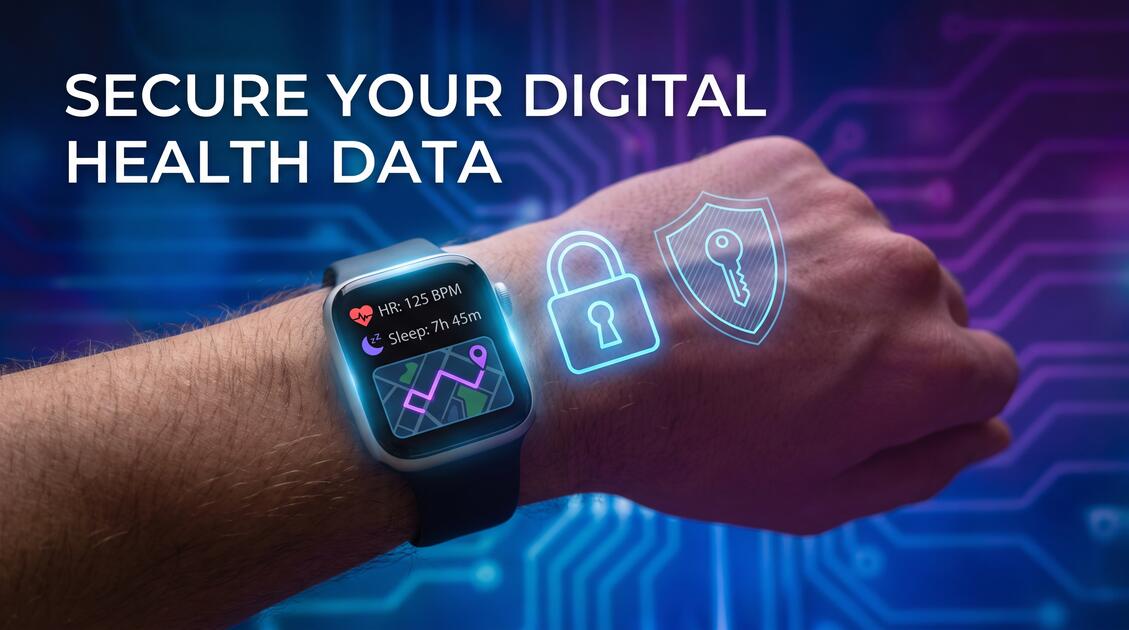
Millions of people wear fitness trackers and use health apps to monitor their workouts, sleep patterns, and overall wellness. But while these devices help you stay fit, they're also collecting incredibly detailed health data—and often sharing it with third parties. A VPN is essential protection for anyone serious about fitness privacy.
Why Fitness Tracker Privacy Matters
Your fitness data might seem harmless on the surface, but it's actually some of the most valuable personal information you can give away. Every step you take, every calorie you burn, every night you toss and turn—this is sensitive health information that reveals intimate details about your life.
The problem is that fitness tracker companies don't just use this data for your benefit. They sell it to insurance companies, employers, marketers, and data brokers. Your workout habits can be used to determine your health risk, your insurance premiums, or even your hiring prospects. That's why protecting your fitness data privacy isn't just about secrecy—it's about protecting your financial and personal security.
What Data Do Fitness Trackers Collect?
Most people only think about steps and calories, but modern fitness trackers collect far more than that:
- Heart rate and heart rate variability: Reveals stress levels, cardiovascular health, and overall fitness level
- Sleep data: Duration, quality, and patterns—which can indicate sleep disorders or stress
- Location data: Your GPS routes show where you live, work, and spend your time
- Menstrual cycle tracking: Reveals reproductive health information (where applicable)
- Oxygen saturation: Can indicate respiratory issues or other health conditions
- Stress metrics: Calculated from heart rate data to show when you're anxious or overwhelmed
- Workout details: Type, intensity, duration, and location of every exercise session
- Weight and body composition: If you sync your scale to the app
- Dietary information: If you log meals in the connected app
- Personal information: Age, gender, health conditions, medications, and health goals
When you combine all this data, it creates a complete health profile that reveals far more than most people realize.
Who's Buying Your Health Data?
Your fitness data is valuable to many industries:
- Insurance companies: Use fitness data to set premiums or deny coverage
- Employers: Track employee wellness and make hiring decisions based on health metrics
- Pharmaceutical companies: Mine health data to identify potential customers for medications
- Marketing firms: Sell to companies wanting to target people with specific health profiles
- Law enforcement: May access fitness data for investigations
- Data brokers: Aggregate and resell your health information to highest bidders
- Researchers: Use anonymized (but sometimes de-anonymized) data for studies
Even if your fitness tracker company claims not to sell data, they may share it with "partners," which often means selling it under different names.
The Real Risks of Exposed Health Data
What happens when your fitness data falls into the wrong hands?
Real Health Data Breaches
Fitness tracker companies and health apps suffer breaches regularly. In 2023, a major fitness app exposed 200 million user records. In 2022, another wearable device maker leaked detailed location and health data of 6.2 million users. Your data could be exposed at any time.
Beyond breaches, exposed fitness data creates multiple risks:
- Insurance discrimination: Rates increase if insurers see poor health metrics
- Employment discrimination: Employers see fitness data and make biased hiring decisions
- Health discrimination: Financial services deny loans or credit based on health profiles
- Targeted scams: Criminals identify vulnerable people based on health conditions
- Location tracking: Stalkers use fitness data to determine your running routes and home location
- Blackmail: Sensitive health information can be used to extort money
How VPN Protects Your Fitness Data
A VPN encrypts all data traveling between your fitness tracker app and the company's servers. This means:
- Network-level encryption: If you sync your fitness data over public WiFi, a VPN prevents anyone on that network from seeing what you're uploading
- ISP blocking: Your internet provider can't see which fitness apps you're using or what data you're syncing
- Third-party blocking: Advertisers and trackers can't determine your health status or fitness level
- Location hiding: VPN masks your real location, so your GPS routes aren't visible even if data is intercepted
- Metadata protection: Even if data is encrypted, VPN prevents snoopers from seeing when and how frequently you sync fitness data
Important Note on VPN Limitations
A VPN protects data in transit but doesn't prevent the fitness tracker company itself from collecting and storing your data. To truly protect your fitness privacy, you need both VPN encryption AND strict privacy settings within your fitness app.
Setting Up VPN for Fitness Apps
Step 1: Install Free VPN on Your Primary Device
Download Free VPN on the device where you use your fitness app most (smartphone or tablet):
- Android: Download from Google Play Store
- iOS: Download from Apple App Store
- Windows: Download from official website
- Mac: Download from official website
Step 2: Enable Always-On VPN (Recommended)
Configure Auto Connect to protect your fitness data even if you forget to manually enable VPN:
- Open Free VPN settings
- Enable "Auto Connect"
- Choose "On Unsafe Networks" or "Always On"
- Save and verify VPN is active
Step 3: Sync Your Fitness Data with VPN Active
Make sure VPN is connected before opening your fitness app:
- Launch Free VPN and confirm connection
- Open your fitness app and sync data
- Keep VPN running while the app syncs
Step 4: Verify VPN is Working
To confirm encryption is working:
- Check Free VPN shows "Connected"
- Visit a VPN verification site to confirm your IP is hidden
- Note that your fitness app should still work normally with VPN active
7 Additional Privacy Tips for Fitness Apps
VPN is essential, but combine it with these additional privacy practices:
- 1. Disable cloud backup: Turn off automatic cloud syncing for your fitness data. Sync only when necessary and keep data local when possible.
- 2. Review app permissions: Don't grant fitness apps access to camera, microphone, or location beyond what's necessary for tracking.
- 3. Limit data sharing: In app settings, disable sharing with "partners" and disable social features that broadcast your activities.
- 4. Use privacy-focused alternatives: Consider fitness trackers and apps that prioritize privacy over data monetization.
- 5. Disable detailed tracking: Many fitness apps let you disable granular metrics. Turn off sleep tracking, stress monitoring, or other sensitive metrics if you don't need them.
- 6. Use a privacy-focused email: Create a separate email account for fitness app signups to prevent data linking across accounts.
- 7. Read privacy policies: Check how each app handles data before signing up. Look for red flags like "sell to third parties" or "partners include insurance companies."
Pro Tip: The "Always On" VPN Strategy
Enable Free VPN's auto-connect feature to protect your fitness data automatically. With Always-On VPN, you don't have to remember to enable it before opening your fitness app—it's already running in the background.
Key Takeaways
- Fitness trackers collect sensitive health data including heart rate, location, sleep patterns, and personal metrics
- Health data is valuable to insurance companies, employers, data brokers, and advertisers
- Data breaches can expose your real identity, location, and health conditions to criminals
- VPN encrypts your fitness app traffic and prevents network-level data interception
- Always use VPN on public WiFi before syncing fitness data to cloud services
- Disable cloud backup for sensitive fitness metrics when possible
- Review app permissions and limit data sharing in privacy settings
Protect Your Fitness Privacy Today
Your fitness data is personal and valuable—don't let corporations exploit it for profit. By using a VPN like Free VPN to encrypt your fitness app traffic, you take control of your health information privacy. Combined with strict privacy settings and selective data sharing, you can enjoy the benefits of fitness tracking without sacrificing your privacy.
Start with Free VPN today. Enable auto-connect, sync your fitness data securely, and know that your personal health information is protected from prying eyes. Your fitness journey is yours alone—keep it that way.


