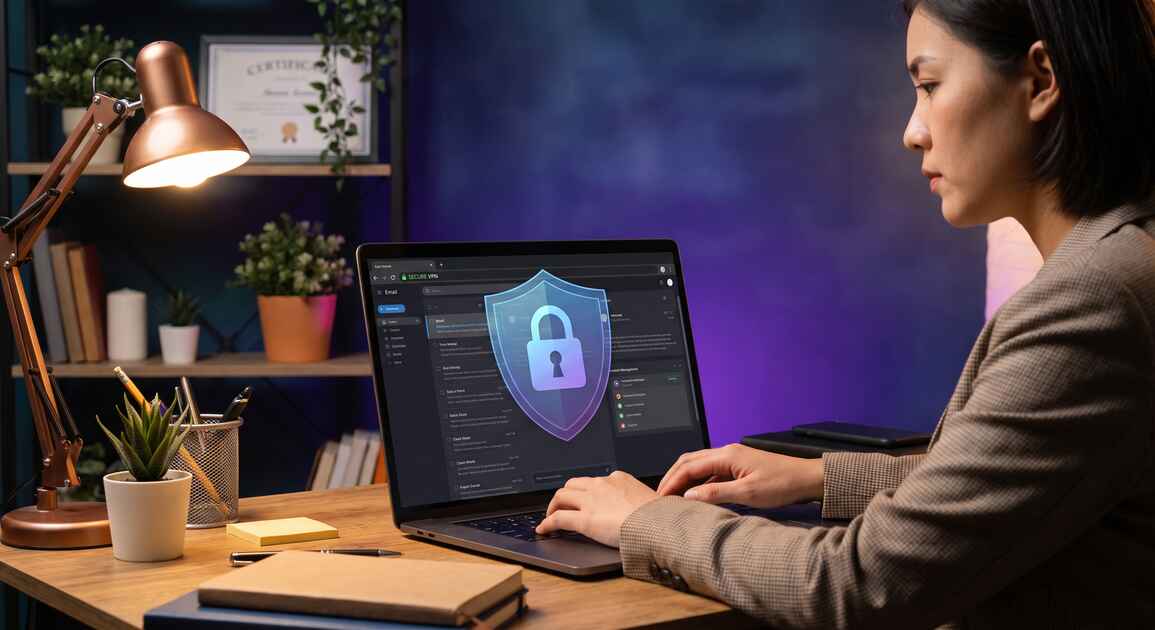
Freelancers and independent contractors manage some of the most sensitive business information in their daily operations: client communications, project details, rate structures, payment information, portfolio work, and confidential designs. Yet many operate with minimal cybersecurity protections, making them prime targets for competitors, data thieves, and cybercriminals seeking valuable business intelligence or financial fraud opportunities.
Why Freelancers Face Unique Cybersecurity Risks
Freelancers occupy a unique position in the digital economy. Unlike traditional employees protected by corporate IT departments or business owners with established security infrastructure, freelancers typically work independently—often from home, coffee shops, coworking spaces, and public networks. This distributed work model creates significant security vulnerabilities.
Your business is built on client relationships and project confidentiality. You manage:
- Client communication channels: Email, messaging apps, video calls containing project briefs, revisions, feedback, and sensitive discussions
- Project details & confidential work: Design files, code repositories, creative concepts, marketing strategies, business plans
- Financial information: Rate structures, invoices, payment details, tax information, banking credentials
- Client data & contacts: Names, email addresses, phone numbers, company information, personal preferences
- Portfolio & intellectual property: Previous work samples, case studies, proprietary techniques, templates
- Access credentials: Client portal logins, project management systems, file storage accounts, payment platforms
A data breach exposes you to multiple threats: client relationships damaged by confidentiality breaches, competitors gaining intelligence about your rates and availability, financial fraud targeting your banking or payment accounts, and liability for client data compromised on your devices.
Did You Know?
According to Verizon's 2026 Data Breach Report, 68% of data breaches target small businesses and freelancers. Independent contractors are often considered softer targets than large enterprises because they typically lack enterprise-grade security infrastructure.
Client Confidentiality & Professional Obligations
Whether you realize it or not, you have legal and ethical obligations to protect client confidentiality. Many client contracts include explicit confidentiality clauses—violating them can expose you to liability, breach-of-contract lawsuits, and reputational damage that destroys your freelance career.
Beyond contracts, professional ethics in your industry likely require confidentiality. Designers, developers, marketers, writers, consultants, and other professionals are expected to protect client information and work product as a matter of professional integrity.
If a data breach exposes client information because your devices or network weren't properly secured, you may be liable for:
- Direct financial losses: Client lawsuits for breach of contract or negligence
- Regulatory fines: If client data is protected by GDPR, CCPA, HIPAA, or other regulations
- Reputational damage: Lost clients, negative reviews, damaged professional reputation
- Business interruption: Time spent managing breach response instead of billable work
Client Data & Communication Vulnerabilities
Every communication channel you use to work with clients—email, messaging apps, video calls, file sharing—transmits data across the internet. Without encryption, this data is vulnerable to interception by attackers on the same network, your ISP, government agencies, or other third parties.
Email Vulnerabilities
Email is one of your most critical business tools, but it's notoriously insecure. Standard email transmits messages in plain text across multiple servers. An attacker can intercept email containing project briefs, client feedback, rates, or payment information.
Messaging Apps & Cloud Services
Many freelancers use Slack, WhatsApp, Google Drive, Dropbox, or other cloud services for client communication and file sharing. While these services offer some encryption in transit, your device must be secure, and your login credentials must remain confidential. A compromise of your device or account exposes all client communications and files.
File Transfer Security
Sharing large files with clients often requires file transfer services or cloud storage links. If your internet connection isn't encrypted with VPN, attackers can intercept download links or monitor which files you're transferring—revealing project details or client relationships to competitors.
Warning
Man-in-the-Middle (MITM) attacks are common on public WiFi networks. An attacker can intercept unencrypted traffic, steal login credentials for client portals or payment systems, and access all your client communications without your knowledge.
Business Intelligence & Competitive Threats
Beyond data theft for financial fraud, competitors actively seek business intelligence about your operations: your rates, your clients, your availability, your project pipeline, and your techniques. This information is invaluable—it allows competitors to undercut your rates, poach your clients, or steal your ideas.
Business intelligence theft against freelancers typically occurs through:
- Network interception: Monitoring unencrypted communications to discover client relationships and project details
- Device compromise: Stealing login credentials or accessing your device to extract client files and communications
- Account takeovers: Compromising email or freelancer platform accounts to impersonate you, access client contacts, or modify invoices
- Project monitoring: Tracking your activities on public networks to observe which clients you're working with
Competitors in the same niche—other designers, developers, writers, or consultants—have strong financial incentives to gather intelligence about your business. A VPN protects your activities from network-level observation, making it difficult for competitors to determine which clients you're serving.
Home Network & Device Security Challenges
Most freelancers work from home, which creates unique security challenges. Your home WiFi network is likely less secure than a corporate network. Many home networks are configured with weak passwords, outdated router firmware, or default security settings.
Common home network vulnerabilities include:
- Weak WiFi password: Neighbors or nearby attackers can access your network and monitor all traffic
- Unencrypted traffic: Even within your home network, traffic between devices and router may lack encryption
- Router vulnerabilities: Outdated firmware contains known security exploits that attackers can exploit
- Shared device networks: Family members using the same network may access your devices or files
- IoT devices: Smart home devices (cameras, speakers, thermostats) connected to your network often have poor security
Even on your own home network, a VPN provides an additional security layer—all your device traffic is encrypted end-to-end, protecting your communications from any observer on the network, including other users or compromised IoT devices.
Remote Work Location & Network Risks
Many freelancers work from multiple locations: home, coffee shops, libraries, coworking spaces, airports, and trains. Each location introduces new network security risks.
Public WiFi networks are particularly dangerous for freelancers:
- Open networks: Coffee shop or airport WiFi typically requires no password, making it trivial for attackers to join
- Fake networks: Attackers create fake WiFi networks with names similar to legitimate ones (\"Starbucks Free WiFi\"), hoping users connect unknowingly
- Network monitoring: An attacker with basic tools can monitor all unencrypted traffic on the network, capturing your login credentials and communications
- Malware distribution: Compromised networks can inject malware into your device or intercept files you're downloading
- DNS hijacking: Attackers can redirect your traffic to fake websites mimicking your banks, email providers, or client portals
When you connect to public WiFi without a VPN, every device you work on—laptop, tablet, phone—is exposed. All your client communications, file transfers, and login attempts are potentially visible to attackers on the same network.
Client Information Exposure & Targeting Risks
Exposure of your client information creates threats beyond just data breach liability. Your client list itself is valuable to competitors and marketers.
Exposed client information can enable:
- Client poaching: Competitors contact your clients offering similar services at lower rates
- Targeted phishing: Attackers impersonate you in client communications, requesting payment for fake invoices
- Social engineering: Using knowledge of your clients to manipulate you or create fake requests
- Direct targeting: Criminals contact your clients directly to offer services, leveraging your reputation
A VPN protects your client relationships by preventing network-level observation of which clients you're communicating with, making it harder for competitors to identify your customer base.
Pro Tip
Always use a VPN before accessing any client portal, email account, or payment system while working remotely. This ensures your login credentials are encrypted even if you're on a compromised network or someone is monitoring your connection.
Ransomware, Financial Fraud & Extortion Threats
Freelancers are increasingly targeted by ransomware attacks and financial fraud schemes. Criminals recognize that freelancers often manage client payment processing directly, giving them access to payment systems and financial information.
Common threats include:
- Ransomware: Malware encrypts your work files and client project data, demanding payment for decryption
- Invoice fraud: Attackers compromise your email to send modified invoices to clients with changed payment details
- Payment credential theft: Stealing PayPal, Stripe, or bank login credentials to redirect payments
- Extortion: Threatening to release client confidential information unless you pay a ransom
- Tax fraud: Using stolen tax ID or financial information to file fraudulent returns
While a VPN alone doesn't prevent ransomware (malware requires other protections), it does protect your device from network-based malware distribution and credential theft that often precedes these attacks.
How VPN Protects Freelancers
A Virtual Private Network (VPN) creates an encrypted tunnel for all your internet traffic. Every communication, file transfer, and login attempt passes through this encrypted tunnel, invisible to observers on your network or ISP monitoring your connection.
Encryption of Client Communications
When you use VPN, all your email, messaging, video calls, and file transfers are encrypted end-to-end. Even if an attacker is monitoring the coffee shop WiFi where you're working, they cannot see your client communications or determine which clients you're in contact with.
MITM Attack Prevention
Man-in-the-Middle attacks become impossible when your traffic is VPN-encrypted. An attacker cannot intercept your login credentials, modify communications, or redirect traffic to fake websites.
IP Masking & Location Privacy
A VPN masks your real IP address, replacing it with the VPN server's IP address. This prevents:
- Network observers from determining your location
- Competitors from tracking your movement patterns
- Websites from profiling your location for targeted attacks
- Your ISP from monitoring which websites you visit
Home Network Protection
Even on your home network, VPN provides an additional security layer. All traffic between your device and the internet is encrypted, protecting against compromise of your home router or other devices on your network.
Device Security Across Networks
One of VPN's biggest advantages for freelancers is consistency: whether you're at home, in a coffee shop, or at the airport, your device has the same level of encryption and protection. You don't need to worry about whether the current WiFi is secure.
Building a Comprehensive Protection Strategy
VPN is a critical component of freelancer security, but it's not a complete solution. A comprehensive protection strategy requires multiple layers:
Layer 1: Network Encryption (VPN)
Always use a reliable VPN like Free VPN when accessing the internet. This should be automatic—enable auto-connect so VPN activates whenever your device connects to any network.
Layer 2: Device Security & Endpoint Protection
Keep your devices secure:
- Use reputable antivirus and malware protection software
- Keep operating system and all software updated with latest patches
- Enable full-disk encryption (FileVault on macOS, BitLocker on Windows)
- Use strong device passwords
Layer 3: Strong Authentication & Access Control
Protect your accounts:
- Use unique, strong passwords for all critical accounts
- Enable two-factor authentication (2FA) on email, payment systems, and client portals
- Use a password manager to securely store credentials
- Regularly review account access and connected devices
Layer 4: Secure Communications & Vendor Access
Protect client interactions:
- Use encrypted email for sensitive client communications
- Verify client identities before sending confidential information
- Use secure file sharing services with password protection
- Limit vendor and contractor access to only required information
Layer 5: Data Handling & Backup Strategy
Protect your data:
- Use encrypted file storage for client files and project data
- Maintain regular encrypted backups of critical work
- Delete confidential files securely when no longer needed
- Use separate devices or profiles for personal and client work when possible
Layer 6: Incident Response & Monitoring
Prepare for security incidents:
- Document client communication channels and emergency contacts
- Plan how you'll notify clients of any potential data breach
- Monitor your financial accounts for unauthorized transactions
- Set up credit monitoring and identity theft alerts
Key Takeaways
- Freelancers manage sensitive client data, communications, rates, and project details that are high-value targets for competitors and cybercriminals
- Client confidentiality is a legal and ethical obligation; data breaches can damage client relationships and expose you to liability
- Home networks and public workspaces create significant security risks for freelancer operations and client communications
- Business intelligence theft and client poaching are real threats; competitors actively seek rate information, client lists, and project details
- VPN encryption protects all client communications, prevents MITM attacks, and masks your location from tracking
- Comprehensive protection requires encryption, strong authentication, secure communications, and incident response planning
Conclusion: Protect Your Freelance Business
Your freelance business depends on client trust and confidentiality. A data breach doesn't just expose client information—it damages your professional reputation, destroys client relationships, and may expose you to legal liability. By implementing comprehensive security practices starting with a VPN like Free VPN, you protect both your clients' information and your livelihood.
The security framework outlined in this guide—network encryption, device protection, strong authentication, secure communications, data handling, and incident response—creates multiple layers of protection. Start with VPN today, add strong passwords and 2FA, maintain regular backups, and keep your devices updated. These fundamental practices significantly reduce your security risk and let you focus on what you do best: delivering excellent work for your clients.
Your clients trust you with their sensitive information. Protect that trust with proper security measures. Download Free VPN today and start encrypting all your client communications and work activity.


