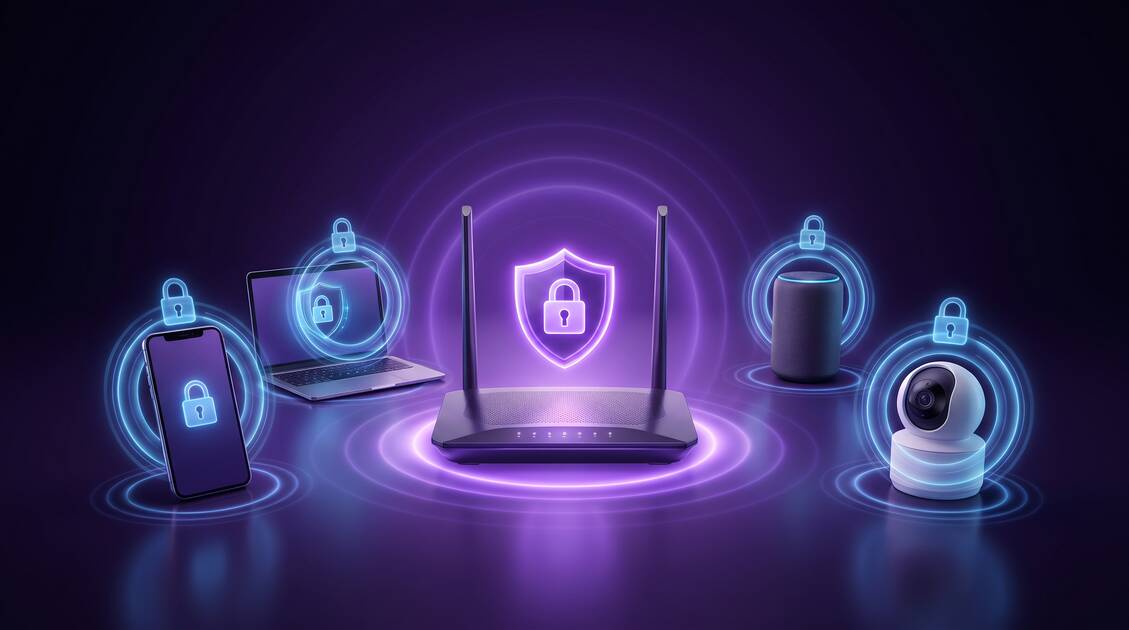
Your home WiFi network feels like a safe, private space—but it's actually one of the most vulnerable points in your digital life. From ISPs tracking every website you visit to neighbors potentially accessing your network, to IoT devices leaking data without encryption, your home network is under constant threat. In this comprehensive guide, we'll show you how a VPN protects your entire home network, family privacy, and all your connected devices from surveillance, attacks, and data breaches.
Common Home WiFi Security Threats
Your home WiFi network faces multiple layers of attack. Understanding these threats is the first step toward protection:
- ISP Monitoring: Your Internet Service Provider can see every website you visit, every service you use, and every file you download—without encryption protection.
- Weak WiFi Passwords: Many people use simple, guessable passwords, leaving neighbors or visitors vulnerable to exploiting your network for illegal activities.
- Rogue Access Points: Attackers can set up "evil twin" networks mimicking your WiFi name, intercepting data from devices that auto-connect.
- Man-in-the-Middle Attacks: Attackers on your network can intercept unencrypted traffic between your devices and the internet.
- IoT Device Vulnerabilities: Smart speakers, security cameras, smart TVs, and other IoT devices often transmit data without adequate encryption.
- Family Member Monitoring: Advanced router settings allow someone with admin access to monitor other household members' browsing habits.
- DNS Hijacking: Attackers or ISPs can intercept your DNS queries to redirect you to malicious sites or see your browsing activity.
Did You Know?
According to recent research, over 50% of home routers have weak default passwords and unpatched security vulnerabilities. Many users never change their router password, leaving their entire network exposed to unauthorized access.
How ISP Monitoring Works in Your Home
Your ISP is in a unique position to see your internet activity. They handle all your traffic and can observe everything you do online—without you knowing.
What Your ISP Can See Without VPN
Without a VPN, your ISP sees:
- Every website domain you visit (not the full URLs with HTTPS encrypted data)
- How much data you use and when
- What services you use (streaming, gaming, messaging apps)
- Your general location (they know where your connection originates)
- Metadata about your online behavior patterns
ISP Throttling & Targeted Advertising
ISPs can use this information to throttle (slow down) your connection when you use certain services, or sell your behavioral data to advertisers. This means prices you see online can be dynamically adjusted based on your ISP's data about your wealth, location, and habits.
Warning
Many ISPs have been caught selling customer browsing data to third parties and using it for targeted advertising. A VPN encrypts your traffic so your ISP only sees that you're connected to a VPN server—not what you're actually doing online.
Protecting Against Neighbor WiFi Attacks
Your home WiFi broadcasts to everyone nearby. Without proper security, neighbors or malicious actors can:
WiFi Network Vulnerabilities
- Bandwidth Theft: Use your internet for their own browsing, reducing your speed
- Man-in-the-Middle Attacks: Intercept unencrypted traffic from your devices
- File Sharing Exploitation: Access files you've shared on your network
- Device Hacking: Use your network as a launching point for attacks on IoT devices
- Illegal Activity: Use your network to download illegal content, with the trail leading back to you
Basic Router Security + VPN = Maximum Protection
Your home network needs two layers of security:
- Router Security: Strong password (20+ characters), WPA3 encryption if available, regularly updated firmware
- VPN Protection: Encrypts all traffic leaving your network, protecting against ISP monitoring and rogue access point attacks
Securing Family Privacy & IoT Devices
In a shared household, privacy becomes complicated. Family members deserve privacy without intrusive monitoring, and IoT devices need protection from data harvesting.
Family Member Privacy Without Surveillance
Some households use router-level monitoring to track what everyone is doing online. While parental control over children's access is important, using a VPN allows adult family members to maintain privacy without fear of surveillance. With Free VPN, each family member can:
- Browse privately without being tracked by household router logging
- Protect sensitive searches and research from being visible in home network logs
- Maintain financial privacy for online banking and shopping
- Keep medical research and health information private
IoT Device Data Leaks
Smart home devices are notorious for leaking data:
- Smart Speakers: Always listening, sending audio snippets to servers for analysis
- Security Cameras: Streaming video to cloud services without user awareness
- Smart TVs: Tracking what you watch and selling viewing habits to advertisers
- Fitness Trackers: Collecting detailed health data transmitted unencrypted
- Smart Appliances: Recording usage patterns to predict behavior
Pro Tip
When setting up IoT devices, create a separate "guest" network on your router and require all IoT devices to connect there. This isolates them from your personal computers and devices. Then, use a VPN on your main network for personal devices to protect against neighbor WiFi attacks.
How to Set Up VPN for Your Entire Home Network
There are three main approaches to protecting your home network with VPN:
Method 1: Per-Device VPN Installation
Install Free VPN on each device individually (phone, laptop, tablet, smart TV, etc.). This is the easiest and most common method:
- Pros: Simple setup, works on any device, no router configuration needed, granular control per device
- Cons: Must install on every device, requires individual subscription licenses
Method 2: Router-Level VPN
Some routers support VPN client configuration, allowing all connected devices to use the VPN automatically:
- Pros: All devices protected automatically, single installation
- Cons: Router-dependent, more complex setup, may reduce network speed, not all routers support it
Method 3: Hybrid Approach
Use router-level VPN for general protection with per-device VPN on critical devices (banking, healthcare, sensitive work) for added layers of encryption.
Getting Started with Free VPN
Free VPN makes it simple to protect all your devices:
- Download Free VPN for each device type (iOS, Android, Windows, Mac, etc.)
- Install and open the app
- Tap "Connect" and select a server location near you for speed, or far away for different content access
- Your connection is instantly encrypted and protected from ISP monitoring
- All family members can use the same account across their devices
Home WiFi Security Best Practices in 2026
Combining basic router security with VPN protection creates a comprehensive home security strategy:
Step 1: Secure Your Router
- Change Default Password: Replace the default admin password with a 25+ character random password, stored securely
- Enable WPA3 Encryption: Use the strongest available WiFi encryption standard (WPA2 if WPA3 unavailable)
- Create a Strong WiFi Password: 20+ characters with uppercase, lowercase, numbers, and symbols
- Update Firmware: Check for router firmware updates monthly and install immediately
- Disable WPS: Turn off WiFi Protected Setup as it's vulnerable to brute force attacks
- Hide SSID Broadcasting: Optional, but makes your network less visible to casual attackers
Step 2: Segment Your Network
- Create a separate "Guest Network" for visitors
- Create a separate "IoT Network" for smart home devices
- Keep personal devices on the main network with VPN protection
Step 3: Deploy VPN Protection
- Install Free VPN on all personal devices
- Use the same VPN server location consistently for speed optimization
- Enable auto-connect so VPN turns on automatically when you go online
- Verify your connection is working using the app's integrated connection check
Step 4: Monitor & Maintain
- Review connected devices list in router settings monthly
- Update router firmware when updates become available
- Update all IoT device firmware when available
- Review WiFi password security every 6-12 months
Critical Security Note
Never share your WiFi password via text, email, or voice. Write it on paper and hand it to guests, or use your router's guest network feature. Once someone has your WiFi password, they can access any unencrypted traffic on your network. VPN protects against this, but router-level security is still essential.
Key Takeaways
- Your home WiFi isn't automatically secure—ISPs, neighbors, and visitors can monitor your network
- ISPs can track which websites you visit, what you download, and what services you use at home
- Weak WiFi passwords leave you vulnerable to neighbor access, bandwidth theft, and network attacks
- IoT devices (smart speakers, cameras, TVs) often transmit data without encryption or VPN protection
- A VPN connection protects all devices on your home network from ISP surveillance and sniffing attacks
- Family members sharing a home network deserve privacy without intrusive monitoring
- Regular WiFi security updates and strong router passwords are essential first steps before VPN setup
Conclusion: Secure Your Home Today
Your home is your sanctuary, and your home network should feel equally secure. By combining strong router security with VPN protection from Free VPN, you're creating multiple layers of defense against ISP monitoring, neighbor attacks, and IoT data leaks.
The good news? Getting started is simple. Free VPN requires no registration, works on all your devices, and provides instant protection. Your ISP can no longer track your browsing, your neighbors can't intercept your data, and your family's privacy is protected without intrusive surveillance.
Don't wait for a breach to happen. Secure your home WiFi network today with the combination of router security best practices and Free VPN's military-grade encryption. Your family's privacy and security depend on it.