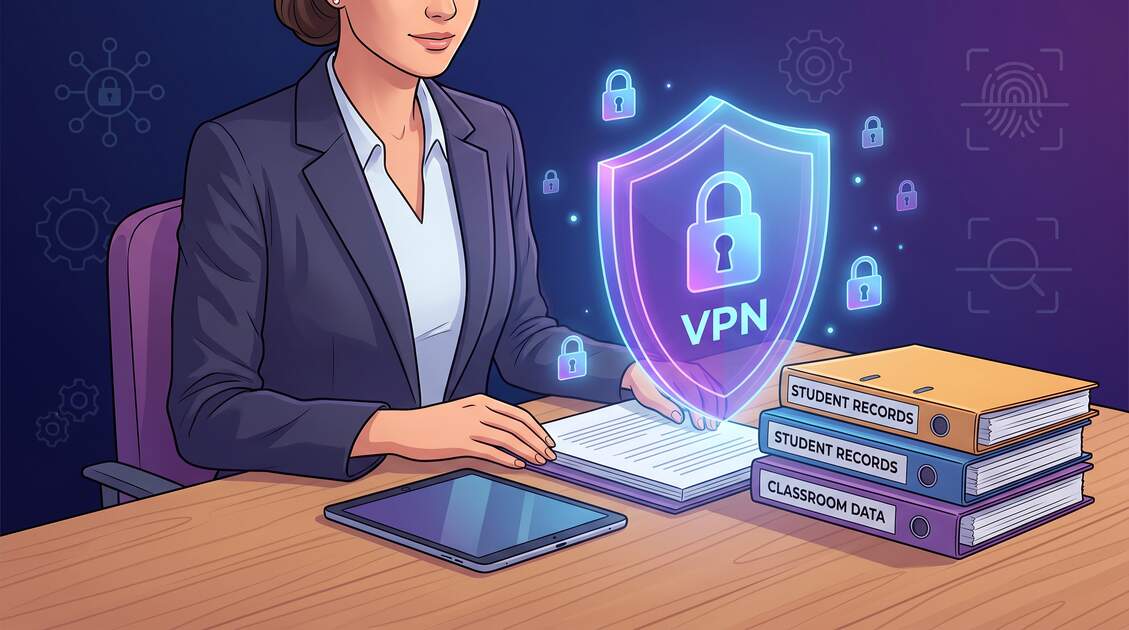
Teachers and educators hold some of the most sensitive, valuable, and vulnerable data in modern organizations: complete student records, family contact information, medical and mental health details, assessment scores, special education records, and millions of parent-student communications. Unlike hospitals or law firms with dedicated IT security teams, schools often operate with limited budgets and aging infrastructure. The stakes couldn't be higher—a single data breach exposes not just student privacy, but parental trust and the foundational integrity of educational systems that serve our children.
Why Teachers & Educators Face Unique Vulnerabilities
Teachers occupy a uniquely exposed position in the data security landscape. They work with vulnerable populations (children), handle sensitive family information, manage administrative systems with weak security, and increasingly teach from public locations and home networks without centralized IT protection.
Remote Teaching Expansion Creates Unprotected Moments
The rise of hybrid and remote teaching has distributed classroom security across countless uncontrolled environments. Teachers connect from home WiFi networks, coffee shops, libraries, and co-working spaces—often with student data streaming across unencrypted connections. A teacher accessing Google Classroom from an airport lounge without a VPN sends student names, grades, and assessments in plaintext across hostile networks.
Limited IT Infrastructure & Budget Constraints
Schools typically operate with 2-5% IT budgets compared to 15-20% for comparable businesses. This means:
- Aging systems: Student information systems (SIS) running on 5-10 year old platforms with unpatched vulnerabilities
- No endpoint security: Teachers use personal laptops without encryption, MDM, or monitoring
- Minimal training: Few security awareness programs—teachers aren't taught to recognize phishing or protect credentials
- Weak passwords: Teachers reuse passwords across personal and school systems
- No network VPN: Most schools don't mandate VPN for remote access; optional is the same as non-existent
Trust-Based Culture Reduces Security Vigilance
Schools are fundamentally built on trust. Educators are hired to teach, not to be security experts. This creates a permissive security culture where warnings about risky behavior are seen as obstacles rather than protections. Teachers are less likely to report suspicious activity or adopt security tools if they seem inconvenient.
Ransomware Targeting Schools: 310% Increase Since 2023
Schools have become premium ransomware targets. Since 2023, ransomware attacks on K-12 schools and universities increased 310%, with average ransom demands of $75,000-$400,000. Why? Because schools are under intense pressure to restore systems quickly (to resume classes), have centralized student data repositories (high-value targets), and often have limited cybersecurity expertise to resist.
Real-World Example: K-12 School District Ransomware Attack (2024)
A Midwest K-12 district was hit with LockBit ransomware. Teachers' remote access credentials were compromised via a phishing email. Attackers encrypted the SIS, email, and file servers. The district lost 3 weeks of class time and paid $180,000 in ransom. Additionally, student records (including SSNs and medical info) were publicly listed on the dark web. Parents sued for negligent security, costing the district $2M+ in settlements and reputational damage.
Sensitive Student Data at Risk
Teachers and school administrators manage data that can devastate students and families if compromised. The value of this data on the dark web is substantial:
What's at Stake
- Student Personal Identifiable Information (PII): Names, SSNs, birthdates, addresses, phone numbers ($100-$500+ per record on dark web)
- Medical Records: Allergies, medications, disabilities, mental health diagnoses, immunization status ($250-$1,000+ per record)
- Special Education Records (IEP data): Individualized Education Plans with disability classifications, accommodation requirements ($500-$2,000+ per record due to uniqueness and sensitivity)
- Assessment Scores & Academic Records: Test scores, grades, academic struggles, gifted/talented classifications (useful for targeting or discrimination)
- Behavioral Records: Discipline records, suspension details, psychological evaluations
- Family Contact Information: Parent/guardian names, addresses, phone numbers, email addresses, work information
- Parent Communications: Email chains discussing child's progress, concerns, family situations (highly sensitive)
- Financial Information: Free/reduced lunch applications, school payment records, financial aid data
- Photographs & Video: Student photos, school event videos, security camera footage
FERPA & Compliance Obligations
Teachers and school administrators must comply with multiple overlapping privacy regulations. Violations can result in federal investigations, funding loss, and institutional liability.
The Family Educational Rights and Privacy Act (FERPA)
FERPA is the primary federal law protecting student privacy. Under FERPA, schools must:
- Limit access: Only authorized personnel may access student records (teachers need-to-know, not blanket access)
- Protect data: Implement reasonable security measures to prevent unauthorized access
- Notify on breaches: Inform parents within a reasonable timeframe if records are compromised
- Document access: Maintain audit logs showing who accessed student records and when
- Encrypt sensitive data: Student information in transit (especially PII and medical data) should be encrypted
State-Level Education Privacy Laws
States increasingly enact their own education privacy laws, often stricter than FERPA:
- California CPRA (Student Privacy Addendum): Requires encryption of student PII, restricts use of student data by vendors
- New York Education Law: Restricts collection and use of biometric data in schools
- Colorado Privacy Notice: Schools must disclose data handling practices to parents
- Illinois Student Online Personal Privacy Protection Act (SOPPA): Restricts behavioral tracking and targeted advertising
HIPAA (Health Insurance Portability & Accountability Act)
School health office staff handling student medical records must comply with HIPAA, creating a dual compliance burden (FERPA + HIPAA). Teachers who handle IEP accommodations related to disabilities must ensure medical data is protected to HIPAA standards.
Other Obligations
- ADA (Americans with Disabilities Act): Special education records are confidential and protected
- District Data Governance Policies: Most districts have policies requiring encryption and secure access for student data
- Insurance & Board Liability: Schools can be sued by parents for negligent security; cyber liability insurance is increasingly common
Digital Threats Targeting Schools & Educators
Teachers face a sophisticated threat landscape specifically targeting schools and educational systems.
Email Phishing & Credential Compromise
Attackers specifically craft phishing emails targeting teachers:
- School district emails: Fake "IT update" emails asking teachers to "verify credentials" leading to credential harvesting
- Parent/student impersonation: "Parent" emails asking for urgent grade changes, attendance clarification, or fee payments
- Educational platform spoofing: Fake Google Classroom login screens, Canvas system alerts, or Zoom invitations with embedded malware
Public WiFi Interception at Schools & Community Centers
Teachers using WiFi at:
- School campuses (unencrypted guest networks)
- Community centers, libraries, coffee shops during planning periods
- Grant meetings at partner organizations or nonprofits
- Parent conferences at library meeting rooms
All create windows where student data streams in plaintext across hostile networks. An attacker on the same WiFi can capture student names, grades, and family communications instantly.
Ransomware & Double-Extortion Schemes
Modern ransomware doesn't just encrypt data—it exfiltrates it for double-extortion:
- Data encryption: Attackers lock systems, forcing schools to halt classes
- Exfiltration: Attackers steal student records, threats to "sell data to the dark web" or "release compromised students' info publicly"
- Pressure tactics: Extortion demands threaten to expose student medical records or special education information (highly leveraged due to sensitivity)
Supply Chain Breaches via Third-Party Apps
Schools use dozens of educational apps and platforms:
- Google Classroom, Canvas, Schoology, Blackboard: If breached, expose millions of student records
- Student information systems (SIS): PowerSchool, Skyward, Infinite Campus—all breach-prone
- Communication apps: Remind, Classdojo, Remind—handle student/parent contact data
- Grading apps: Third-party gradebook apps with inadequate security
A single vendor breach can expose an entire district's student data. Teachers often don't know they're transmitting student information through insecure third-party apps.
Mobile Device Theft & Loss
Teachers carry devices with student data:
- Tablets/laptops with Google Classroom, gradebooks, student emails
- Phones with apps storing student contact info and conversations
- USB drives with student records (often unencrypted)
A lost or stolen device with unencrypted student data = immediate FERPA violation and breach notification.
Ransomware Targeting Schools: Real Costs & Damage
School ransomware attacks have become routine, expensive, and devastating. The average ransomware attack on a school costs $200,000-$500,000+ (including downtime, recovery, ransom, lawsuits, and reputational damage).
Why Schools Are Premium Targets
- Time-sensitive pressure: Schools must resume classes quickly. Administrators feel immense pressure to "get systems back online" by paying ransom
- Valuable data: Centralized student information systems contain thousands of student records in one place
- Weak security: Schools have limited IT expertise and aging infrastructure
- No incident response plans: Most schools haven't rehearsed recovery procedures
- Double-extortion leverage: Student data sensitivity makes threats particularly credible (parents will sue if data is exposed)
Real-World Damage
- Operational disruption: School closure, class cancellations, loss of online learning platforms
- Financial loss: Ransom ($75K-$400K+), recovery costs ($200K+), lost productivity
- Data exposure: Student records sold on dark web or published (permanent digital footprint)
- Legal consequences: FERPA violations, lawsuits from parents, regulatory investigations, fines up to $43,000 per violation
- Reputational damage: Community trust lost, enrollment declines, staff departures
- Long-term consequences: Affected students' data used for fraud, identity theft, or discrimination for years
2024 School Ransomware Trends
According to the Cybersecurity & Infrastructure Security Agency (CISA), K-12 school ransomware attacks increased 310% since 2023. The most common attack vectors are phishing emails (64%), unpatched vulnerabilities (22%), and weak remote access security (14%). Average ransom demanded: $175,000. Average total cost (including recovery): $400,000+.
Mobile & Remote Teaching Risks
Teachers increasingly work from multiple locations and devices. Each introduces new attack surfaces.
Home WiFi Networks (Often Unsecured)
- Many teachers have outdated home routers with default passwords
- Family members' devices create lateral movement paths (kids' tablets, spouses' laptops)
- Home ISP often blocks security updates
- No encryption for data in flight—student records sent in plaintext
Public WiFi at Community Locations
- Coffee shops: Teachers during planning periods access grades, student emails, and lesson plans on unencrypted WiFi
- Libraries: Research on student projects, accessing student work submitted online
- Co-working spaces: Teachers with side gigs access both personal and school systems
- Grant meetings: Partners from nonprofits/agencies on the same network as teachers working with student data
Personal Device Security
Teachers often use personal laptops/phones for school work:
- No mobile device management (MDM) to enforce encryption
- Devices may lack antivirus or security updates
- Students may have access to personal devices (credential caching, autofill)
- Personal apps (banking, social media) on same device as school apps creates lateral attack surface
How VPN Protects Student Data & Classroom Security
A VPN (Virtual Private Network) creates an encrypted tunnel for all internet traffic, protecting student data across all the vulnerable scenarios teachers face.
Encrypts Student Data in Transit
- Google Classroom access: When a teacher logs into Classroom from a coffee shop on public WiFi with a VPN, all traffic is encrypted. Attackers can see they're connecting to Google, but not the student names, grades, or assignments
- Email with parent/student info: VPN encrypts email traffic, preventing interception of sensitive conversations
- File uploads/downloads: Student work, assessment materials, and records uploaded/downloaded through encrypted tunnel
Masks the User's Location & Identity
- Attackers cannot determine that the teacher is accessing school systems from public WiFi (a fingerprint that invites attack)
- IP address is masked, preventing location tracking of the teacher
- Phishing attackers can't geo-target based on "teacher in coffee shop" signals
Prevents Man-in-the-Middle (MITM) Attacks
- Even if an attacker is on the same WiFi network, they cannot intercept or modify traffic between teacher and school systems
- Authentication credentials sent through VPN cannot be captured
- Fake WiFi "evil twin" networks are neutralized (attacker can only see encrypted tunnel)
Secures Educational Platform Access
- Google Classroom, Canvas, Schoology, Zoom—all protected by VPN encryption when accessed from home or public locations
- Prevents DNS snooping (attackers seeing which educational platforms a teacher uses)
- Blocks man-in-the-middle HTTPS stripping attacks that downgrade secure connections
Protects Against DNS & Network-Level Attacks
- VPN typically includes DNS privacy, preventing ISPs and network admins from seeing which websites/apps a teacher accesses
- Prevents BGP hijacking and route-based attacks targeting educational institutions
Best Practice: Always-On VPN with Automatic Reconnection
Free VPN offers automatic reconnection, meaning if your WiFi drops and reconnects, the VPN automatically reestablishes. This ensures student data is never transmitted in plaintext, even during brief connection interruptions. Configure "kill switch" to block all traffic if VPN disconnects—preventing any unencrypted data leakage.
7-Layer Security Strategy for Educators
VPN is a critical foundation, but protecting student data requires layered security across seven domains.
Layer 1: Always-On VPN with Automatic Reconnection
- Use Free VPN configured to connect automatically on device startup
- Enable kill switch to block internet if VPN drops
- Test VPN is active before accessing student data (disconnect and verify no traffic flows)
- Use VPN on ALL devices accessing student information (laptop, phone, tablet)
Layer 2: Full Device Encryption
- Windows: Enable BitLocker (Pro/Enterprise editions) or third-party encryption
- Mac: Enable FileVault 2 (all Macs support it)
- iPhone/iPad: Enable Passcode + iCloud Keychain encryption (automatic on modern iOS)
- Android: Enable device encryption (Settings > Security > Encryption)
- This protects data if a device is lost or stolen
Layer 3: Strong Authentication & Multi-Factor Authentication (MFA)
- School credentials: Use strong, unique passwords for district accounts (20+ characters, no reuse)
- MFA required: Enable 2FA on all school accounts (Google, Microsoft, SIS, email)
- MFA on personal accounts too: If you use personal email for school work, enable MFA
- Avoid SMS-based 2FA: Prefer app-based (Google Authenticator) or hardware keys (FIDO2) if available
Layer 4: Secure Communications & Encrypted Email
- Email encryption: Use district-provided encrypted email (most districts support S/MIME or PGP)
- End-to-end messaging: For sensitive parent/student communications, use apps with end-to-end encryption (Signal, Wire)
- Avoid unencrypted communication: Never email sensitive student data unencrypted
- Secure meeting links: Use district-authorized video conferencing (Zoom, Google Meet, Microsoft Teams) with password protection and waiting room enabled
Layer 5: Data Access Controls & Compartmentalization
- Need-to-know access: Only access student data your role requires (you don't need to see every student's file)
- Audit logs: Regularly check who accessed student data and when (SIS should provide audit trails)
- USB restrictions: Don't store student data on USB drives; use encrypted cloud storage if needed (Google Drive with encryption, OneDrive)
- File sharing: Never share student files via personal email or unencrypted cloud storage
Layer 6: Endpoint Monitoring & Activity Logging
- Antivirus/anti-malware: Keep Windows Defender or macOS XProtect updated (or use third-party like Kaspersky)
- Endpoint Detection & Response (EDR): If your district provides it, enable and maintain endpoint monitoring tools
- Audit logs on systems: Regularly review Windows Event Viewer or macOS logs for suspicious activity
- Monitor account activity: Periodically check "Recent activity" or "Sign-in history" on school Google/Microsoft accounts for unauthorized access
Layer 7: Incident Response Planning & Backup Protocols
- Know the breach report process: Who do you report suspected breaches to? (Usually district IT + administration)
- Keep backups: Maintain offline backups of critical lesson plans and materials (not containing student data)
- Document security practices: Keep records showing you use VPN, encryption, and MFA—demonstrating reasonable diligence if a breach occurs
- Test recovery: Periodically verify you can recover important files from backups
- Participate in incident response drills: If your district runs tabletop exercises for ransomware response, attend and understand your role
Protecting Our Students: A Shared Responsibility
Teachers hold sacred trust—our society entrusts educators with our children's data, development, and safety. A data breach isn't just a technical failure; it's a betrayal of that trust and can haunt affected students for years (identity theft, discrimination, psychological harm).
VPN is a non-negotiable foundation for protecting student data. Every teacher accessing student information from home, public locations, or mobile devices should use a VPN with automatic reconnection. Combined with device encryption, strong authentication, secure communications, data access controls, endpoint monitoring, and incident response planning, VPN forms a comprehensive security posture that safeguards our students.
School administrators should:
- Mandate VPN use for all remote access to student systems
- Provide technical training and support for teachers using VPN
- Implement automated compliance monitoring (verify teachers connect VPN before system access)
- Invest in endpoint detection and response (EDR) tools
- Conduct regular security awareness training focused on phishing and social engineering
- Develop and test incident response plans with realistic ransomware scenarios
Teachers should:
- Use VPN without exception whenever accessing student data
- Enable device encryption and strong authentication
- Never store student data on personal devices without encryption
- Report suspicious emails, unexpected access, or security concerns immediately
- Stay current with district security policies and training
Our students deserve protection. By implementing thoughtful, layered security and using tools like VPN, we honor our responsibility as educators and demonstrate our commitment to their privacy and safety in an increasingly connected world.


