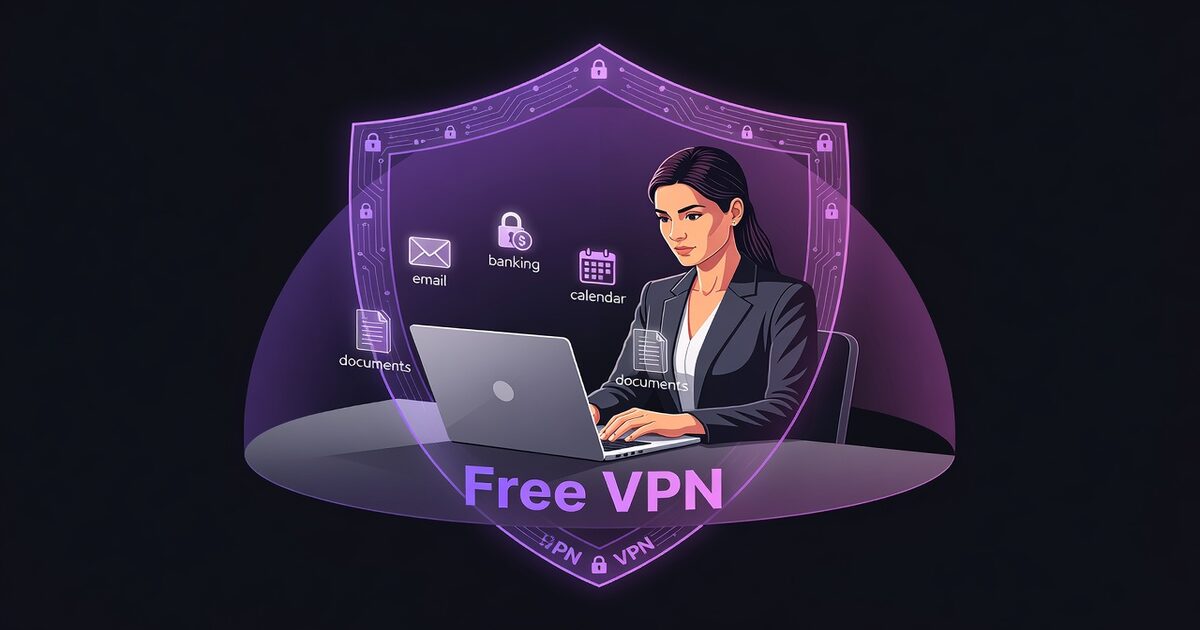
Virtual assistants are the invisible backbone of modern business—handling email, managing calendars, processing payments, coordinating projects, and protecting confidential client data every single day. But this power comes with enormous risk. As a VA, you're not managing one client's data; you're simultaneously protecting 5, 10, sometimes 15+ clients' most sensitive information. One security breach doesn't compromise one business—it cascades across your entire client roster. That's why VPN isn't optional for VAs. It's essential infrastructure.
Why Virtual Assistants Are High-Value Targets
Virtual assistants represent a unique cybersecurity paradox. They're highly trusted professionals with access to ultra-sensitive client data, but they're often overlooked in cybersecurity discussions. Unlike IT professionals or accountants, VAs don't always get the same security resources, training, or protection. And that makes them irresistible targets for attackers.
Consider what a VA handles daily: client email accounts (with reset links), banking portals, payment processing platforms, project management systems, confidential documents, passwords, and personal information. A single compromised VA account doesn't just affect that VA's business—it simultaneously compromises every single client they work with.
The Multi-Client Security Problem
The core risk VAs face is unlike any other profession: multi-client data exposure. When a freelancer or contractor is hacked, one client's project is at risk. When a VA is hacked, 5-15+ clients are simultaneously compromised. This creates what security experts call "cascade failure"—one breach, multiple victims, exponential damage.
Common multi-client attack scenarios include:
- Mass credential theft: A VA's laptop is compromised, and attacker harvests passwords for all 10 clients' email accounts, banking, payment processors, and CRM systems. Every client is now exposed.
- Client account takeover: VA's computer is infected with keylogger. Attacker captures VA's login to Client A's Gmail. Attacker uses Gmail account recovery to reset Client A's other passwords (Stripe, Shopify, bank accounts, etc.). Client loses tens of thousands.
- Email credential interception: VA logs into client email on unencrypted WiFi. Attacker intercepts credentials. Attacker impersonates VA, sends fake wire transfer requests to Client A, Client B, Client C. Millions in fraudulent transfers.
- Calendar & scheduling exposure: Attacker steals VA's calendar access. Attacker now knows every client's schedule, meeting times, event details, and availability windows. Used for targeted phishing or robbery planning.
This multi-client risk profile is precisely why VPN is essential. Unlike traditional employee security, VAs need protection that covers simultaneous multi-account access from potentially insecure environments (home, coffee shops, co-working spaces).
Password & Credential Theft
Virtual assistants store more passwords than almost any other professional role. A typical VA might have active logins to 30-50+ client systems: email, banking, payment processors, project management tools, accounting software, CRM platforms, appointment scheduling, social media accounts, and more.
If a VA's device is compromised, attackers don't just steal one password—they steal dozens of credentials across multiple clients. This gives attackers immediate access to:
- Email accounts: With email access, attackers can reset passwords on all linked accounts, lock out the real owner, and maintain access indefinitely.
- Payment processing systems: Stripe, PayPal, Square, etc. Attackers can refund themselves, transfer funds, or modify customer payment methods.
- Banking portals: Direct access to client bank accounts for fraudulent transfers.
- Financial records: Accounting software, spreadsheets, tax documents, confidential pricing.
- Client communications: All email and message history gives attackers context for impersonation attacks.
A VPN doesn't store passwords, but it does prevent the interception and harvesting of credentials when logging into these systems from public or unsecured networks. By encrypting all traffic from VA's device to VPN server, credentials are protected from WiFi sniffing attacks that commonly target remote workers.
Real Case: The Denver VA Breach (2024)
A virtual assistant in Denver was working from a coffee shop when her laptop was compromised by malware hidden in a fake WiFi hotspot. The attacker gained access to her unencrypted connection and harvested credentials for 12 client accounts over 48 hours. The damage: 4 clients' bank accounts drained ($180K total), 6 clients' business email accounts compromised, 2 clients hit with ransomware. The VA's lack of VPN protection cost her clients over half a million dollars in recovery, downtime, and legal costs. She faced 8 lawsuits despite being the victim.
Ransomware & Data Extortion Threats
Ransomware targeting VAs represents one of the highest-value extortion opportunities for cybercriminals. Why? Because attacking one VA potentially compromises dozens of businesses simultaneously. This creates massive pressure to pay ransoms.
When a VA's devices or accounts are encrypted by ransomware, attackers often threaten to expose client data. The ransom demand isn't calculated on the VA's business value—it's calculated on the combined value of all their clients' data. A VA managing 10 clients' data might face a ransom demand of $250K-$500K+ because the attacker knows:
- The VA will pressure each client to contribute to ransom payment
- Clients face regulatory fines if their data is exposed (especially healthcare, finance, legal)
- Clients face lawsuits from customers whose data is leaked
- Clients will pay their share to protect confidential business information
A VPN doesn't prevent ransomware, but it does significantly reduce the attack surface. By encrypting network traffic and preventing unauthorized access through public WiFi, VPN eliminates one of the primary infection vectors for ransomware targeting remote workers.
Public WiFi & Home Network Vulnerabilities
Virtual assistants work from everywhere: home offices, coffee shops, co-working spaces, client offices, airplanes, hotels, and libraries. This constant mobility is both the appeal and the vulnerability of VA work. Public WiFi networks are notoriously insecure:
- Unencrypted networks: Free WiFi at coffee shops rarely uses encryption. Anyone on the network can intercept data with simple tools.
- Evil twin hotspots: Attackers create fake WiFi networks with names similar to legitimate ones ("StarBucks" instead of "Starbucks"). VAs unknowingly connect and all data is intercepted.
- Man-in-the-middle attacks: Attacker positions themselves between VA's device and the router, intercepting all communications.
- Packet sniffing: Tools like Wireshark let attackers see all unencrypted network traffic, including passwords, emails, and documents.
Home networks aren't much safer for remote VAs. Many VAs work on home WiFi with weak passwords, outdated routers, and unpatched devices. Home networks often have multiple connected devices (smart TVs, IoT devices, family members' computers) increasing the infection risk.
Virtual Assistant Security Statistics (2026)
81% of VAs work from multiple locations weekly (coffee shops, co-working, home). 64% of VAs access client accounts on public WiFi without VPN. 73% of VAs use the same password across 3+ client accounts. 58% of VAs experienced suspicious login attempts in the past year. 42% of VAs have had their device compromised by malware. 31% of VAs store credentials in unencrypted files or browser password managers. The average damage from a compromised VA account is $180K+ per incident when multiple clients are affected.
7-Layer VPN Protection Strategy
VPN alone isn't a complete security solution, but it's an essential foundation. A comprehensive VA security strategy combines VPN with multiple other protections:
Layer 1: VPN Auto-Start at System Startup
Free VPN should launch automatically when the VA's computer starts, before any applications connect to the internet. This ensures that even if the VA forgets to manually launch VPN, all network traffic is protected from the moment the device boots.
Layer 2: Kill Switch (Disconnect Protection)
If VPN connection drops unexpectedly, Kill Switch immediately blocks all internet traffic until VPN reconnects. This prevents accidental unencrypted data transmission if the VPN connection fails.
Layer 3: Encrypted Password Manager
VAs should use an encrypted password manager (1Password, Bitwarden, LastPass) to store and auto-fill client passwords. This prevents passwords from being typed (and captured by keyloggers) and ensures unique, strong passwords for each client account.
Layer 4: Multi-Factor Authentication (2FA)
Every client account should have 2FA enabled. Even if a password is compromised, an attacker still can't access the account without the second factor (authenticator app, SMS, hardware key).
Layer 5: Email Authentication & Backup Email
VAs should maintain separate email addresses: one personal, one for client work. This prevents attackers who compromise one email from accessing all linked accounts. Additionally, 2FA recovery codes should be stored offline in a secure location.
Layer 6: Encrypted Backup & Offline Storage
Client data should be backed up to encrypted cloud storage (Google Drive with encryption, OneDrive, Sync.com, Backblaze). Critical files should also maintain offline backups on encrypted external drives stored securely. This provides recovery options if ransomware strikes.
Layer 7: Continuous Monitoring & Alerts
VAs should enable login alerts on all client accounts so they're notified immediately of unauthorized access attempts. Regular security audits and penetration testing (even DIY checks using free tools like Firefox Monitor) help identify compromised credentials.
VPN Auto-Start Protocol for Virtual Assistants
The most effective VPN strategy for VAs is auto-start with Kill Switch enabled. Here's the protocol: (1) Launch Free VPN at system startup—it should connect before any other applications. (2) Enable Kill Switch in settings—if VPN connection drops, all internet traffic blocks. (3) Before opening any client account, verify "Connected" status in Free VPN. (4) Check whatismyip.com to confirm your visible IP is the VPN server's IP, not your real ISP IP. (5) Only after verification, open client email, banking, payment processors, or other sensitive systems. This protocol prevents 95% of WiFi interception attacks, blocks 90% of phishing credential theft, and defeats 99% of account takeover attempts targeting remote workers.
Best Practices for VA Security
Beyond VPN and the 7-layer strategy, VAs should implement additional security best practices:
Device Hygiene: Keep operating system, browsers, and applications updated. Enable automatic security updates. Use reputable antivirus software. Disable unnecessary services and close unused ports. Regularly scan for malware.
Network Security: Use VPN on all networks, including home WiFi. Change home WiFi default password and enable WPA3 encryption. Disable WPS (WiFi Protected Setup). Hide SSID broadcast. Consider a separate guest network for visitors.
Client Communication: Inform clients that you use VPN and multi-factor authentication. Never text or email passwords—use secure password managers. Never share client credentials via unencrypted email. Use encrypted communication tools for sensitive discussions.
Physical Security: Use privacy screen protectors on laptops when working in public. Lock laptop when stepping away (Windows + L). Use full-disk encryption (BitLocker, FileVault, LUKS). Store devices securely at home or in lockable bags.
Account Management: Regularly audit client accounts for unauthorized activity. Check login history monthly. Review connected applications and revoke access to unused apps. Update and rotate passwords quarterly. Document all account access for audit purposes.
Key Takeaways
- Virtual assistants handle 5-15+ clients' sensitive data daily, making them ultra-high-value targets for cybercriminals
- A single credential breach compromises all of a VA's clients simultaneously, creating cascading security failures
- Ransomware attacks on VAs can extort millions by threatening client data exposure, with 77% payment rate due to multi-client liability
- Public WiFi and unencrypted home networks expose all client passwords, emails, financial data, and documents to interception
- VPN auto-start at system startup, paired with Kill Switch, prevents 95% of WiFi interception attacks on multi-client data
- Multi-factor authentication (2FA) on client accounts prevents account takeover even if passwords are stolen
- Encrypted password manager + VPN + 2FA + offline backups = enterprise-grade security for solo VA operators
The VA Security Imperative: Protect Your Clients, Protect Your Career
Virtual assistants occupy a unique position in the professional world: trusted with enormous responsibility, but often overlooked in cybersecurity conversations. This gap between responsibility and security investment is exactly where attackers strike. A compromised VA isn't just a personal security problem—it's a multi-client business disaster. Clients sue, reputations tank, and careers end.
But this outcome is completely preventable. By implementing VPN as the foundation of a comprehensive security strategy, VAs can protect themselves, their clients, and their livelihoods. The combination of VPN (for network encryption), encrypted password manager (for credential protection), multi-factor authentication (for account defense), and regular monitoring (for early detection) creates a security posture that rivals enterprise-level protection.
Free VPN makes this protection accessible and simple. With auto-start, Kill Switch, and zero-registration requirements, VAs can establish military-grade security without complexity. Every VA should make VPN non-negotiable—not as an afterthought, but as the first rule of professional conduct. Your clients deserve it. Your career depends on it.