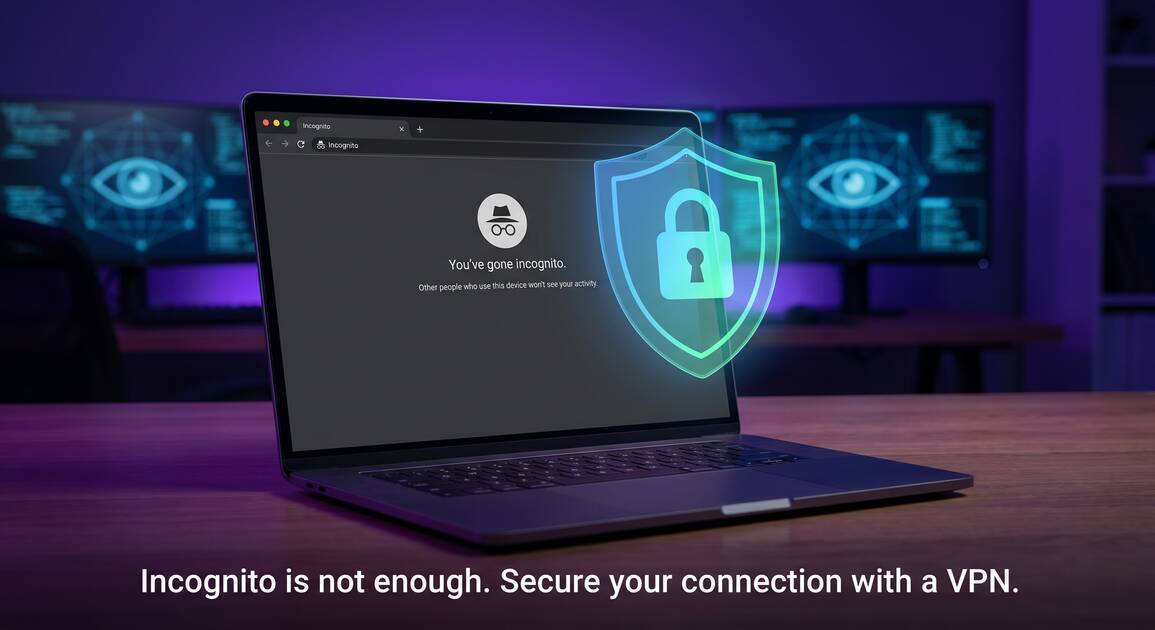
You open a new incognito window, confident that your browsing activity is completely hidden. The truth? You might be walking into a false sense of security. While incognito mode (also called "private browsing") does clear some local data, it's far from providing the privacy and anonymity most people assume it does. In this guide, we'll expose the myths, explain what incognito mode actually does, and show you why you need VPN for real online privacy.
What Is Incognito Mode and What Does It Actually Do?
Incognito mode, available in Chrome, Firefox (Private Browsing), Safari (Private), Edge, and other browsers, is a browsing feature that prevents your browser from storing certain local data. When you close an incognito window, the browser deletes:
- Browsing history: URLs you visited are not saved to your browser history
- Cookies: Tracking cookies from websites are not stored (though they're still sent during the session)
- Search history: Searches in the address bar are not saved
- Cache files: Temporary files from websites are deleted
- Form data: Information you typed into website forms is not stored
- Authentication data: Login information is not remembered
That's literally all it does. It's a local privacy feature — it only prevents your own device from remembering your activity. Everything else? Still exposed.
What Incognito Mode DOESN'T Protect
This is where the false sense of security becomes dangerous. Incognito mode provides NO protection against:
Your Internet Service Provider (ISP)
Your ISP sees every website you visit, even in incognito mode. They can build a complete profile of your interests, shopping habits, and personal information. Without VPN, your ISP knows everything — and they're legally allowed to sell this data to advertisers and marketers.
Website Servers
The websites you visit in incognito mode see your real IP address, your device information, and everything you do on their site. They can track your activity, log your clicks, and record any information you submit (searches, messages, purchases).
Network Administrators
Using incognito mode at work, school, or on public WiFi? The network administrator can still see every website you visit. Incognito mode doesn't hide your traffic from the network — it only hides it from your local browser storage.
Your Employer
If you're using a company device or company network, your employer can monitor your activity even in incognito mode. Many companies use monitoring software specifically to track employee internet activity.
VPN Providers (if you don't use VPN)
Without a VPN, no one is encrypting your traffic. Every unencrypted HTTP request (not HTTPS) is visible to anyone on your network or monitoring your connection.
Device Fingerprinting & Behavioral Tracking
Advanced websites can identify you without cookies through browser fingerprinting — analyzing your browser type, screen resolution, installed fonts, and plugins. This works in incognito mode.
Critical: Login Data Exposes You
If you log into your social media account, email, or any service in incognito mode, your identity is exposed. That service knows exactly who you are, what you search for, and what you do — regardless of incognito mode.
5 Common Incognito Mode Myths Debunked
Myth #1: Incognito Mode Makes You Anonymous
Reality: It absolutely does not. Anonymity means no one knows who you are. But if you log into any account in incognito mode, you're identified. Websites know your name, email address, and location. Incognito mode just prevents your device from remembering the visit — not from others knowing about it.
Myth #2: Incognito Mode Hides Your IP Address
Reality: False. Your IP address is visible to every website you visit, whether you're in incognito mode or not. Your ISP and network administrator can see it. Only a VPN actually hides your IP address by routing your traffic through an encrypted tunnel.
Myth #3: Incognito Mode Encrypts Your Traffic
Reality: Not at all. Incognito mode doesn't encrypt anything. If you visit an HTTP website (not HTTPS), your data is sent in plain text across the internet. A VPN provides encryption; incognito mode does not.
Myth #4: Websites Can't Track You in Incognito Mode
Reality: Websites can and do track you in incognito mode. Through browser fingerprinting, behavioral tracking scripts, and server-side logs, websites know exactly who you are and what you do. They can also use cookies during your incognito session — they just aren't stored afterward.
Myth #5: Incognito Mode is for Privacy, Not Just Hiding Local History
Reality: Incognito mode is really just for keeping your browsing history off your device. It's useful if you share a computer with others and don't want them to see your browsing history. But for actual privacy from ISPs, websites, and network monitors, it's essentially useless.
What Incognito Mode IS Good For
Incognito mode is great for: testing website behavior without cached files, shopping without targeted price changes showing up in your history, logging into multiple accounts simultaneously, and keeping your browsing off a shared device. But it's not a privacy tool.
How VPN Fills the Gaps That Incognito Leaves Open
A VPN (Virtual Private Network) does everything incognito mode doesn't:
Hides Your Real IP Address
VPN routes your traffic through an encrypted tunnel, replacing your real IP address with the VPN server's IP. Websites see the VPN server's location, not yours. Your ISP cannot see which websites you visit.
Encrypts All Your Traffic
VPN encrypts all data leaving your device, protecting it from ISPs, network administrators, and hackers on public WiFi. Even if you visit an HTTP website, the traffic is encrypted before it leaves your device.
Protects Against Network Snooping
Anyone monitoring your network (ISP, employer, network admin) cannot see your browsing activity. All they see is encrypted traffic going to the VPN server.
Prevents ISP Throttling & Blocking
Since your ISP can't see which websites you're visiting, they can't throttle your connection to specific sites or block access to certain content.
Works Across All Apps
VPN protection applies to your entire device — all browsers, apps, and services. Incognito mode only works within that specific browser window.
The combination of incognito mode + VPN provides layered privacy: VPN hides your IP and encrypts your traffic, while incognito prevents local browser history storage.
Best Practices for Real Online Privacy
If you're serious about online privacy, use this multi-layered approach:
- Use VPN first: Free VPN encrypts your traffic and hides your IP address system-wide
- Use incognito mode: Combine it with VPN for extra local privacy (no browser history storage)
- Enable HTTPS: Only visit websites with HTTPS (green padlock). Avoid HTTP sites whenever possible
- Block cookies: Configure your browser to reject third-party tracking cookies
- Clear cache regularly: Delete browser cache, cookies, and temporary files monthly
- Disable JavaScript tracking: In privacy-focused browsers like Brave or with extensions like uBlock Origin
- Use DNS privacy: Enable DNS-over-HTTPS (DoH) or DNS-over-TLS to prevent DNS snooping
- Never log in if you want anonymity: Login exposes your identity regardless of incognito or VPN settings
- Avoid browser fingerprinting: Use a privacy browser or set a randomized user agent to prevent fingerprinting
- Review privacy policies: Understand what data websites collect and how they use it
Pro Tip: VPN + Incognito is Ideal
Use Free VPN with incognito mode for maximum privacy. VPN protects your IP and encrypts traffic; incognito prevents local history. Together, they provide comprehensive privacy against multiple threat vectors.
Key Takeaways
- Incognito mode ONLY deletes local browsing history—it doesn't hide your IP address or encrypt your traffic
- Your ISP, employer, VPN provider (if used), and website servers can still see your activity in incognito mode
- Private browsing mode doesn't prevent website tracking, cookies, or ad targeting—it just prevents local storage
- You are NOT anonymous in incognito mode: your identity can still be exposed through login data or device fingerprinting
- VPN + incognito mode together provides better privacy than either alone—VPN hides your IP, incognito hides local history
- For real privacy, combine incognito mode with VPN, clear cookies, disable JavaScript tracking, and use DNS privacy
Conclusion: Stop Relying on Incognito Mode Alone
Incognito mode is useful for preventing your browser from remembering your local activity. But it's not a privacy tool — it's a history-clearing tool. If you want actual privacy from ISPs, hackers, and website trackers, you need VPN. The good news? Free VPN provides comprehensive protection at no cost. Combine it with incognito mode for layered privacy, enable HTTPS, block cookies, and use DNS privacy. Together, these steps create a strong privacy posture that actually protects you online.
Remember: incognito mode protects your device; VPN protects your privacy. Use both for maximum protection.


