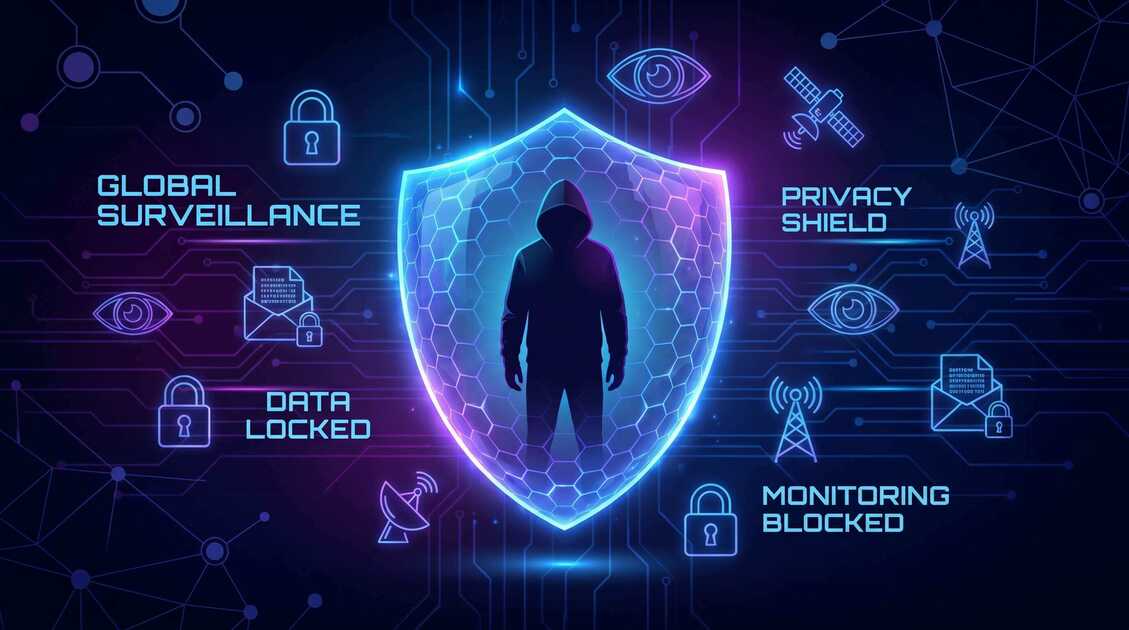
In authoritarian countries, the internet isn't a space of freedom—it's a monitored tool of state control. Governments monitor every connection, block access to information, and punish citizens for unauthorized browsing. If you live in or travel to a country with internet censorship and government surveillance, a VPN isn't just helpful—it's essential. This guide explains the real threats you face, how VPN protects you, and the practical steps to stay safe online in oppressive regimes.
Unique Privacy Risks in Authoritarian Countries
People living under authoritarian rule face surveillance threats that go far beyond what users in democratic countries experience. These aren't just data collection concerns—they're matters of physical safety, freedom of expression, and human rights.
The Reality of Internet Control in Oppressive Regimes
Authoritarian governments employ sophisticated internet control systems:
- Deep packet inspection (DPI) — State ISPs analyze your traffic content to identify banned websites, keywords, and VPN usage
- ISP-level monitoring — All internet traffic flows through government-controlled ISPs that log every connection
- Website blocking — Governments block social media, news sites, messaging apps, and any information sources they don't control
- Selective service blocking — Some platforms work in certain regions while being completely blocked in others
- Speed throttling — Deliberate slowdowns of VPN connections and certain services to discourage their use
The consequences of circumventing these restrictions can be severe. People have faced arrest, imprisonment, torture, and execution for unauthorized internet access in some countries.
Critical Warning
Using a VPN in some authoritarian countries is illegal or heavily restricted. Research your specific country's laws before using VPN tools. Some regimes actively block VPNs and punish users caught bypassing restrictions. Understand the legal and physical risks in your jurisdiction.
Government Surveillance & Monitoring Threats
Authoritarian surveillance isn't random—it's systematic, comprehensive, and deeply invasive. Understanding these threats helps you protect yourself effectively.
How State-Level Surveillance Works
ISP Monitoring: All internet traffic passes through government-controlled ISPs where every byte can be inspected. Without a VPN, authorities see:
- Every website you visit
- Your real IP address and location
- The metadata of encrypted communications
- Your browsing patterns and habits
- Account login attempts and account recovery activities
Targeted Surveillance: Dissidents, activists, journalists, and political opponents face targeted surveillance including:
- Network-level man-in-the-middle (MITM) attacks to intercept communications
- Account compromise through forced password resets or backdoors
- Malware injection to capture devices and keystrokes
- Tracking of social networks and communications patterns
Metadata Analysis: Even encrypted communications leak valuable metadata—who you're talking to, how often, and when. Authoritarian regimes use this pattern analysis to identify dissidents, activists, and opposition networks.
Understanding the Threat Model
Your threat model in an authoritarian country isn't just hackers or corporate advertisers—it's a powerful state with unlimited resources, technical expertise, and zero legal constraints. This fundamentally changes your protection needs and the tools you rely on.
How VPN Protects Your Freedom
A properly configured VPN provides essential protections against state surveillance, though it's not a complete solution on its own.
What VPN Does Protect
IP Address & Location: VPN masks your real IP address, replacing it with the VPN server's IP. This prevents authorities from directly identifying you through your internet connection.
Encrypted Traffic: VPN encrypts all your data between your device and the VPN server. Even if authorities intercept your traffic, they see only encrypted data, not the websites you visit or messages you send.
ISP Traffic Blocking: By hiding what you're accessing, a VPN prevents ISPs from blocking specific websites or services. The ISP can only see that you're connecting to a VPN server, not what you're accessing through it.
Account Security: When accessing email, social media, and other accounts over a VPN, your credentials are encrypted. This prevents ISP-level account compromise and credential interception.
Safer Communication: Using a VPN to access encrypted messaging apps (Signal, Wire, etc.) protects both your connection to the app and your identity, making surveillance harder.
What VPN Does NOT Protect
Understanding VPN limitations is critical in high-threat environments:
- Your identity: If you log into an account with your real name, authorities still know who you are
- Device compromise: VPN can't protect you from malware or compromised devices
- Metadata patterns: Governments can see that you're connecting to a VPN, even if they can't see what you're accessing
- VPN provider cooperation: If the VPN provider is forced to cooperate with authorities or keeps detailed logs, your privacy depends on their integrity
- Browser-level tracking: Website tracking cookies and browser fingerprinting still work even with a VPN
Choosing a Trustworthy VPN in Restricted Countries
In authoritarian environments, VPN choice is critical—you're trusting a company with your entire digital safety.
What to Look For in a VPN
No-Logging Policy (With Evidence): Choose VPNs that claim to keep zero logs and have been audited by independent security firms. Free VPN maintains a strict no-logging policy and publishes transparency reports about data requests.
Strong Encryption: Look for military-grade AES-256 encryption and modern protocols like WireGuard or OpenVPN. These resist decryption even from powerful adversaries.
Proven Resilience to Blocking: Some VPNs are easily blocked by DPI systems. Research which VPNs actually work in your specific country—this changes over time as authorities develop new blocking methods.
Multi-Protocol Support: Different protocols have different blocking resistance. A VPN offering multiple options (OpenVPN, WireGuard, IKEv2, Shadowsocks) provides flexibility when one is blocked.
Obfuscation Capabilities: Advanced obfuscation makes VPN traffic look like normal internet traffic, defeating DPI blocking. This is essential in countries that actively block VPNs.
Jurisdiction & Company Control: Choose VPNs operated by companies outside authoritarian jurisdictions. If your VPN provider is based in or controlled by a censoring government, they're compromised.
VPN Choice Strategy
Don't rely on a single VPN. Have backup options—Free VPN plus a second paid VPN if possible. If one is blocked or fails, switch to the other. Test both before you need them.
Setting Up VPN Safely in Authoritarian Environments
How you set up and use VPN is as important as which VPN you choose. Mistakes in deployment can compromise your security.
Installation Best Practices
- Download securely: Use HTTPS and ideally a secondary encrypted connection to download the VPN app
- Verify authenticity: Check app signatures and compare download hashes to ensure you're getting the real app, not a government-modified version
- Disable auto-updates in some regions: In some countries, government-controlled app stores or networks intercept updates. Consider disabling auto-updates and manually updating when safe
- Install on device only: Don't share VPN credentials or app installations on shared devices
Daily VPN Use in High-Risk Environments
Always Connect: Use Free VPN's auto-connect feature to ensure you're always protected. Never browse without VPN, even for "safe" sites.
Verify Connection: Before doing anything sensitive, verify your VPN is actually connected and using a safe server location.
Choose Appropriate Servers: When accessing content blocked in your country, choose a VPN server in a democracy with strong privacy protections. Avoid servers in authoritarian countries.
Monitor Connection Health: In countries that heavily censor, watch for VPN connection problems—sudden disconnects, unusual slowdowns, or repeated reconnection failures might indicate active blocking or attacks.
Advanced Protection: Beyond VPN
In the highest-threat environments, VPN alone isn't sufficient. Combine it with additional security layers.
Defense-in-Depth Strategy
Use Tor Browser: For the highest anonymity needs, use Tor Browser (which routes traffic through multiple encrypted relays) in combination with a VPN. Tor + VPN adds extreme protection against state-level surveillance.
Encrypted Messaging Apps: Use Signal or Wire for communications. These apps encrypt messages end-to-end, meaning even the app providers can't read your messages.
Secure Email: ProtonMail or similar encrypted email services protect your email communications from ISP and email provider monitoring.
Operating System Security: Use updated, security-focused operating systems:
- For phones: Use the latest version of iOS or Android with security updates enabled
- For computers: Consider Linux distributions focused on privacy and security
- Use strong passwords and 2-factor authentication on all accounts
Safe VPN Bridge Mode: Some advanced VPN users use "bridge mode" where they connect to a VPN through Tor or another VPN first. This provides extra layers of obscurity.
Operational Security (OpSec)
Technology alone won't protect you. Practice operational security: avoid discussing sensitive activities, use separate devices or accounts for risky activities, never log into personal accounts while accessing banned content, and stay aware of physical surveillance.
Understanding VPN Risks & Limitations
VPN is powerful but not invincible. Understanding its limitations helps you avoid false confidence.
VPN Provider Risks
Forced Cooperation: If a VPN provider is pressured by authorities with legal demands, they might comply. Free VPN operates outside authoritarian jurisdictions and resists such demands, but this remains a theoretical risk for any VPN.
Covert Logging: A VPN claiming no-logging might secretly keep logs. Only VPNs that undergo regular independent security audits offer real assurance.
VPN Provider Compromise: Malicious actors might compromise a VPN provider's infrastructure. Choose established, reputable VPN companies with security track records.
Behavioral Risks
Overconfidence: The biggest risk is thinking VPN makes you completely safe. It doesn't. Logging into an account with your real name exposes your identity regardless of VPN protection.
Usage Pattern Analysis: Authorities see connection patterns. If you only use VPN to access blocked sites at the same time daily, they know what you're doing even without seeing the content.
Network-Level Attacks: Sophisticated state actors can sometimes break through VPN encryption or conduct MITM attacks, especially on compromised networks.
Staying Safe Online in Oppressive Regimes
VPN is tool, not a silver bullet. Comprehensive safety requires multiple strategies.
Practical Safety Guidelines
- Assume everything is monitored: Write, browse, and act as if every action is being logged and could be used against you
- Never trust public WiFi: Even with VPN, public WiFi in authoritarian countries may have compromised routers or surveillance equipment. Use mobile data when possible
- Keep devices secure: Use strong passwords, enable 2FA, keep software updated, and avoid public charging stations (use your own charger)
- Be aware of metadata: The fact that you connect to a VPN at 8 PM daily reveals a pattern, even if the content is hidden
- Have exit strategies: Know where encrypted backups of important data are, have secondary communication channels, and prepare for device seizure
- Monitor for compromise signs: Watch for unusual battery drain, unexpected app crashes, weird connection behavior, or unauthorized account access attempts
- Use separate accounts: Keep an account with your real name that appears normal, and a heavily anonymized account for sensitive activities
Your Freedom Matters
The right to privacy and freedom of expression are human rights, not privileges granted by governments. In authoritarian countries where these rights are denied, tools like VPN represent digital freedom—a way to think, communicate, and access information without fear.
Free VPN exists for exactly this purpose. We believe everyone deserves access to unrestricted information and the ability to communicate privately, regardless of their government's restrictions. VPN won't solve systemic oppression, but it can help protect your safety and preserve your dignity in difficult circumstances.
Stay safe. Stay informed. Stay free.
Key Takeaways
- People in authoritarian countries face government surveillance, ISP monitoring, and severe penalties for unauthorized internet access
- VPN masks your real IP, encrypts your traffic, and allows access to blocked websites—but it's not foolproof
- Choose VPNs with strong encryption, no-logging policies, and proven resilience against state-level blocking
- Free VPN offers reliable protection with servers worldwide, though paid backup solutions provide added security
- Cover your VPN use with technical knowledge—understand obfuscation, bridge modes, and stealth protocols
- Combine VPN with other security tools: Tor Browser, encrypted messaging apps, secure DNS, and careful operational security
- Monitor for signs of detection (unusual slowdowns, connection patterns, account anomalies) and have backup plans
- Privacy is a human right—protective tools and knowledge enable safer communication and political participation


