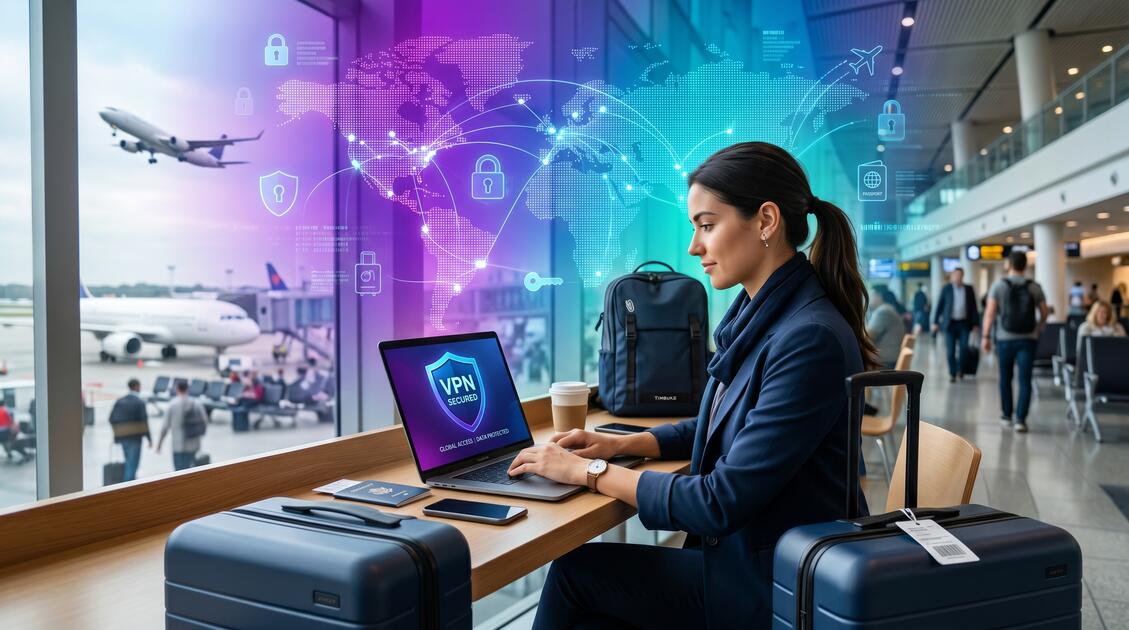
Whether you're exploring new cities, visiting family abroad, or conducting business internationally, traveling exposes your digital devices and personal data to unprecedented risks. Public WiFi networks, payment transactions in foreign currencies, and the simple act of crossing international borders create security vulnerabilities that most travelers never consider. A Virtual Private Network (VPN) is your essential travel companion—protecting your location, financial data, and communications from hackers, surveillance, and identity theft while you're away from home.
Why Travelers Need VPN Protection
When you travel, your digital behavior becomes unpredictable. You connect from different WiFi networks, use unfamiliar devices, access accounts from new locations, and conduct financial transactions in places where you don't understand the security infrastructure. This creates a perfect storm for cyber criminals and surveillance actors.
Travelers face unique security challenges that don't apply to people staying in one location. Your home network is familiar—you know what devices are connected, you understand the security features, and you likely trust the WiFi provider. Traveling strips away all of these protections.
A VPN encrypts all your internet traffic, making it invisible to the networks you connect to and the ISPs that serve those networks. This single layer of protection prevents hackers from intercepting your passwords, banking information, and sensitive communications while you're traveling. For travelers, VPN protection isn't an optional security enhancement—it's fundamental to safe travel.
Important Travel Reality
Cybercriminals specifically target travelers because they know travelers are connecting to unfamiliar networks, often in a hurry, and frequently accessing financial accounts. Your travel patterns make you an attractive target.
Travel-Specific Digital Threats
Traveling creates exposure to threats that don't exist when you're home. Understanding these specific vulnerabilities helps you appreciate why VPN protection is non-negotiable for travelers.
1. Public Network Interception
Every network you connect to during travel—airport WiFi, hotel WiFi, coffee shop WiFi, train WiFi—is a potential surveillance point. These networks are unencrypted by default, meaning anyone with basic hacking tools can intercept traffic and view your passwords, emails, and financial transactions in real-time.
2. Location Tracking During Travel
Travel changes your location constantly. Each WiFi network logs which devices connect to it, creating a digital trail of your physical movements. ISPs in countries you visit can track your location based on your IP address. This location data can be sold to advertisers, shared with governments, or used by criminals who want to know where you are.
3. Device Theft & Unauthorized Access
Travel increases the risk of device theft or loss. When your device is stolen while traveling, the thief has physical access to your data and can potentially unlock accounts if you've ever saved passwords. A VPN doesn't prevent theft, but it protects your accounts if a thief later connects your stolen device to the internet.
4. Travel Payment Fraud
International travel triggers payment fraud alerts at the best of times. But when you're making purchases without VPN protection on public WiFi, criminals can intercept your credit card information. Payment fraud is significantly more common among travelers than home-based internet users.
Did You Know?
According to travel security reports, travelers are 10x more likely to experience data theft or payment fraud when using public WiFi without VPN protection compared to traveling with a VPN enabled.
Airport WiFi: A Hacker's Paradise
Airports are ground zero for cybercriminals. Every airport offers free WiFi to travelers, millions of people pass through each day, and travelers are in a rush—making them careless about security. Airport WiFi networks are notoriously unencrypted and poorly monitored.
The Anatomy of Airport WiFi Attacks
Cybercriminals set up shop in airport terminals with laptop and basic hacking software. They can:
- Set up "evil twin" networks: Create fake WiFi networks with names like "AirportFree" or "Starbucks" that look legitimate but are actually under the hacker's control. When travelers connect, all traffic routes through the hacker's device.
- Perform man-in-the-middle attacks: Position themselves between your device and the airport's real WiFi network, intercepting all traffic and harvesting login credentials.
- Deploy packet sniffing: Use specialized tools to capture unencrypted data packets traveling across the airport network, which often contain passwords and sensitive information.
- Inject malware: Intercept downloads and inject malicious code that infects your device with spyware or ransomware.
All of these attacks are prevented instantly when you use a VPN. Your traffic is encrypted end-to-end, making interception impossible. The hacker sees only encrypted data, not the login credentials or financial information they're seeking.
Pro Tip for Airport Travel
Connect to the airport's VPN before connecting to any other service. Many airports now offer VPN service through their security infrastructure. If the airport doesn't offer VPN, use Free VPN. Always verify the WiFi network name with airport staff or signage—never assume a network is legitimate based on its name alone.
Hotel WiFi Security & Privacy Concerns
Hotel WiFi presents a different set of challenges than airport WiFi. While hotels typically invest in better network security than airports, hotel networks have unique vulnerabilities that specifically target travelers.
Hotel Network Vulnerabilities
Hotel networks often lack proper network segmentation, meaning your devices are on the same network as other guests' devices. This creates opportunities for other travelers to:
- Access shared files: If you've enabled file sharing on your device, other hotel guests on the same network can potentially access your files.
- See your browsing activity: Hotel networks sometimes log all traffic for operational purposes. Hotel staff or IT administrators can potentially see which websites you visit and what services you use.
- Attack your device: Sophisticated travelers or cybercriminals can scan the hotel network for vulnerable devices and attempt to infect them with malware.
Hotel as Surveillance Platform
Hotel networks also represent a potential surveillance risk. Some hotel networks log all traffic, and it's not always clear what happens with that data. Using a VPN at a hotel ensures that:
- Hotel staff cannot see your activity: Your browsing, streaming, and communication are encrypted and invisible to the hotel network.
- Other guests cannot target you: Your device's real IP address is hidden, making it harder for other guests to identify and target your device.
- Your room activity remains private: No one can correlate your device activity with your specific room, protecting your privacy if you're staying in sensitive circumstances.
International Surveillance & Data Monitoring
Different countries have radically different approaches to internet surveillance and data collection. When you travel internationally, you enter jurisdictions where your digital rights may be limited or non-existent.
Government Surveillance at Borders
Many countries monitor internet activity at national borders. When you enter a new country and connect to local networks, those networks may be monitored by:
- Government intelligence agencies: Collecting data for national security purposes
- Authoritarian governments: Monitoring travel for political, religious, or social reasons
- Border control authorities: Tracking traveler movements and activities
- Telecommunications providers: Collecting data on behalf of government mandates
A VPN masks your real IP address and location, making it much harder for governments to correlate your travel with your digital activities. Your VPN provider's servers are typically located in privacy-friendly jurisdictions, meaning your traffic is protected by stronger data protection laws.
ISP Monitoring in Different Countries
Every country's internet service providers are required to comply with local laws regarding data collection. When you travel and connect to a local ISP, that ISP can see:
- Your IP address: Which reveals your approximate location and can be connected to your physical presence in that country
- Which websites you visit: Even without seeing the content, the ISP can see the domain names you access
- Your bandwidth usage: Data about how much you're using the network and when
- Your device type: Information about what devices are connecting to the network
With a VPN, all of this information is encrypted and invisible to the ISP. The ISP only sees that you're connecting to a VPN server, not what you're actually doing online.
Protecting Payment & Financial Data
Travel inevitably involves financial transactions. You're making purchases in foreign currency, often on unfamiliar networks, which creates significant fraud risk.
Payment Fraud During Travel
When you use your credit card or debit card while traveling, especially on public WiFi, several things can go wrong:
- Card information interception: Hackers can intercept card numbers, expiration dates, and CVV codes when you make purchases on unencrypted networks.
- Fraudulent transactions: Stolen card information is immediately sold to cybercriminals who make unauthorized purchases.
- Account takeover: In addition to card fraud, criminals may gain access to your banking app or financial accounts.
- Identity theft: Intercepted personal information (name, address, phone number) can be used for long-term identity theft.
VPN Protection for Financial Transactions
Using a VPN while traveling protects financial transactions by:
- Encrypting all payment data: Your credit card information, banking credentials, and financial activity are encrypted end-to-end. Even if a hacker intercepts the traffic, the data is unreadable.
- Hiding your location: Your real location is hidden from payment processors, making it harder for fraudsters to correlate your purchases with your travel location.
- Protecting account access: When you access your bank account or payment apps through a VPN, the connection is encrypted and your login credentials are protected.
- Preventing man-in-the-middle attacks: VPN encryption prevents hackers from inserting themselves between you and the payment processor.
Never Do This While Traveling
Never access your banking app, make credit card purchases, or enter financial information on public WiFi without VPN protection. The risk is too high. If you must do banking or shopping, always use a VPN first or use cellular data instead of WiFi.
Building Your Multi-Layer Travel Security Strategy
A VPN is the foundation of travel security, but it works best when combined with other security practices. Here's how to build comprehensive protection:
VPN: Your Primary Defense
Use a VPN like Free VPN every time you connect to any network while traveling. This includes:
- Airport WiFi
- Hotel WiFi
- Coffee shop WiFi
- Restaurant WiFi
- Train or bus WiFi
- Any public network
Two-Factor Authentication: Secondary Defense
Enable two-factor authentication (2FA) on all important accounts before you travel. This includes:
- Email accounts: Your email is the master key to all other accounts. If your email is compromised while traveling, criminals can reset passwords on all your other accounts.
- Financial accounts: Banking, PayPal, Stripe, and other financial services should have 2FA enabled.
- Social media: If your social media is compromised, criminals can impersonate you and access your contacts.
- Work accounts: Company email, cloud storage, and project management tools.
HTTPS: Always, Everywhere
Even with a VPN, always use HTTPS websites (look for the lock icon in your browser). HTTPS adds an additional layer of encryption between you and the website. Some websites don't force HTTPS, so make sure you manually navigate to the HTTPS version of the site.
Disable File Sharing
Before you travel, disable file sharing on your device. This prevents other devices on the same network from accessing your shared files. The steps vary by device:
- Windows: Settings → Network & Internet → Sharing options → Turn off sharing
- Mac: System Preferences → Sharing → Uncheck all sharing options
- iPhone: Settings → WiFi → (Your network) → Advanced → Disable Bluetooth sharing
- Android: Settings → Wireless & networks → Data usage → Turn off file sharing
Update Everything Before Traveling
Security patches are released constantly. Before you travel, update:
- Your device's operating system
- All applications and software
- Your browser and browser extensions
- VPN software to the latest version
Use a Unique Travel Password
Don't use your primary passwords while traveling. Consider creating temporary, unique passwords for travel-specific accounts and change them back when you return home. This limits damage if your passwords are compromised while traveling.
Avoid Public Charging Ports
Public USB charging ports (at airports, hotels, and other locations) can be used to inject malware into your device. Bring your own charger or use a power bank instead. If you must use a public charging port, use a "USB power-only" cable or power adapter that blocks data transmission.
Travel VPN Setup Tip
Set up your VPN before leaving home. Test the connection, verify that it works on different networks, and install it on all devices you're bringing. The last thing you want is to arrive at an airport and struggle with VPN setup when you're in a hurry.
Conclusion: Travel Safely, Worry-Free
International travel is one of life's greatest adventures—but it shouldn't come with the risk of data theft, financial fraud, or identity compromise. A VPN transforms your travel security by encrypting all your communications, protecting your location, and keeping your financial data safe from hackers and surveillance.
Free VPN gives you enterprise-grade encryption protection without requiring registration, accounts, or expensive subscriptions. Download it today, test it at home, and travel confidently knowing your data is protected from airport to hotel to home.
Key Takeaways
- Airport and hotel WiFi networks are prime targets for hackers intercepting traveler data
- Travelers need VPN protection before connecting to any public network while traveling
- Location tracking during travel can expose your physical movement and schedule to surveillance
- Payment fraud increases dramatically when traveling without VPN protection
- International borders expose you to different countries' data collection and surveillance laws
- Multi-layer security (VPN, 2FA, HTTPS, secure messaging) is essential for safe travel
- Government surveillance varies by country—use VPN to mask your location and avoid targeting
- Always connect through VPN before accessing email, banking, or business accounts while traveling


