Free VPN for Windows. Privacy with style.
One-click VPN protection for Windows 10 and 11. Start browsing privately, choose your route, and unlock premium controls when you need more.
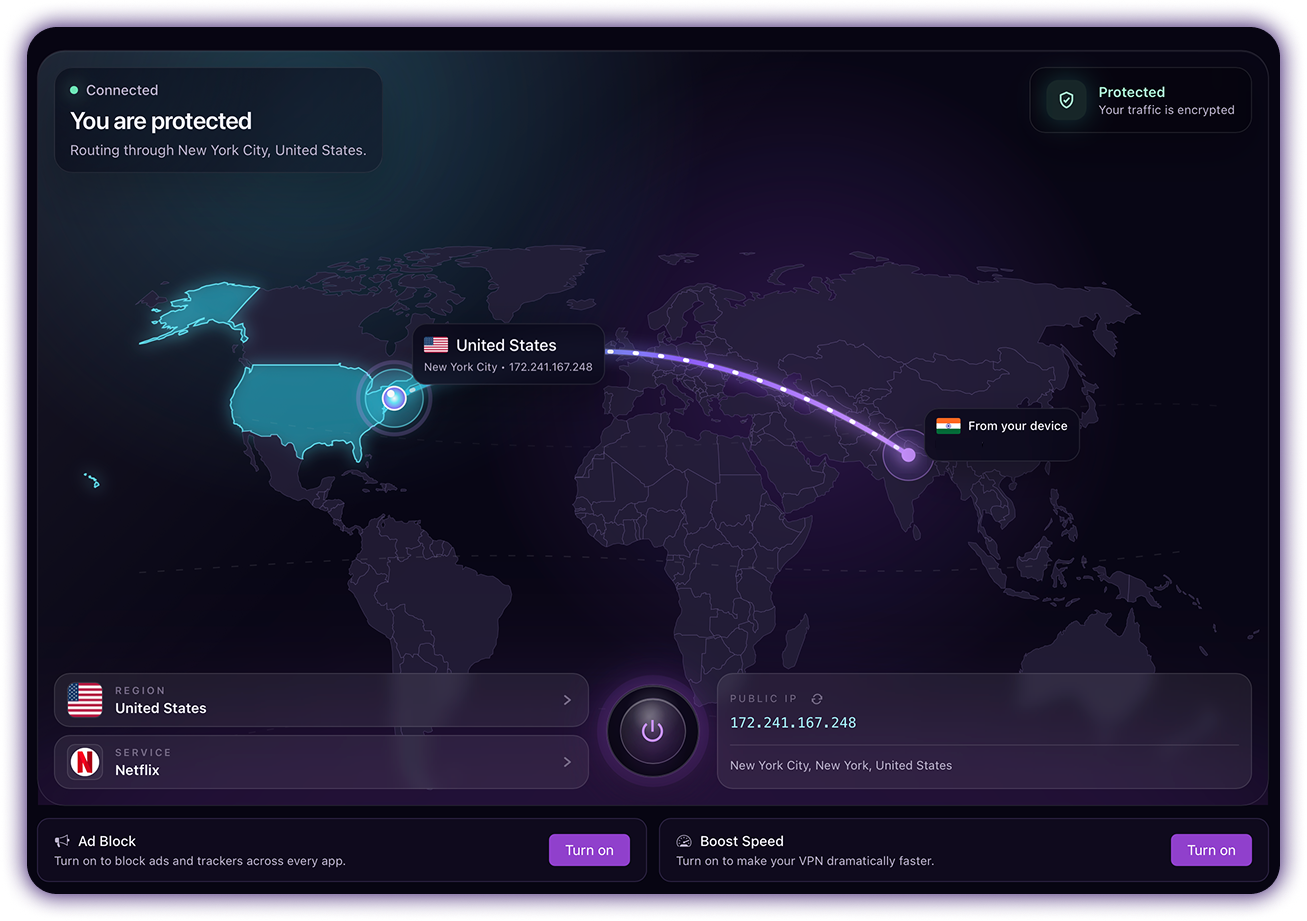
The world is your network.
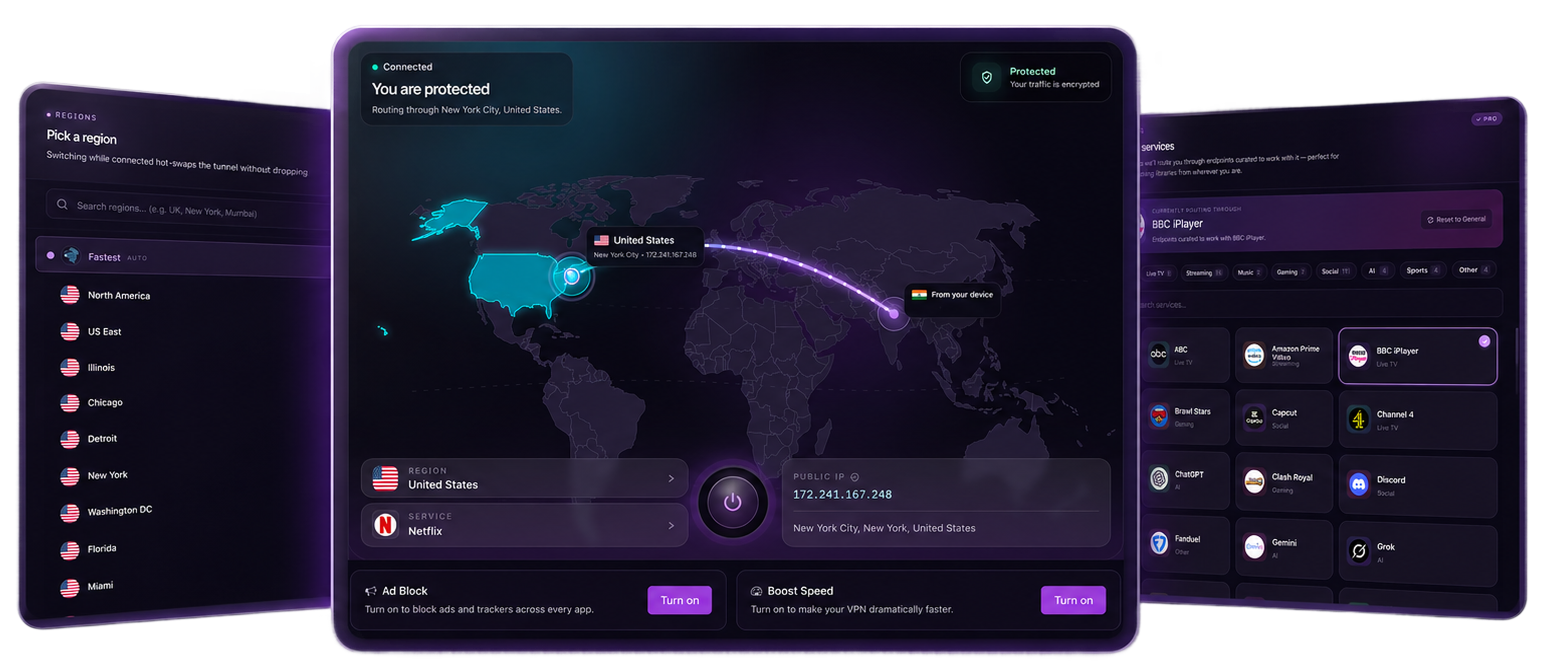
Choose from global regions and service modes for streaming, social, gaming, AI tools, work, and everyday browsing.
Screens that feel calm because they do one thing well.
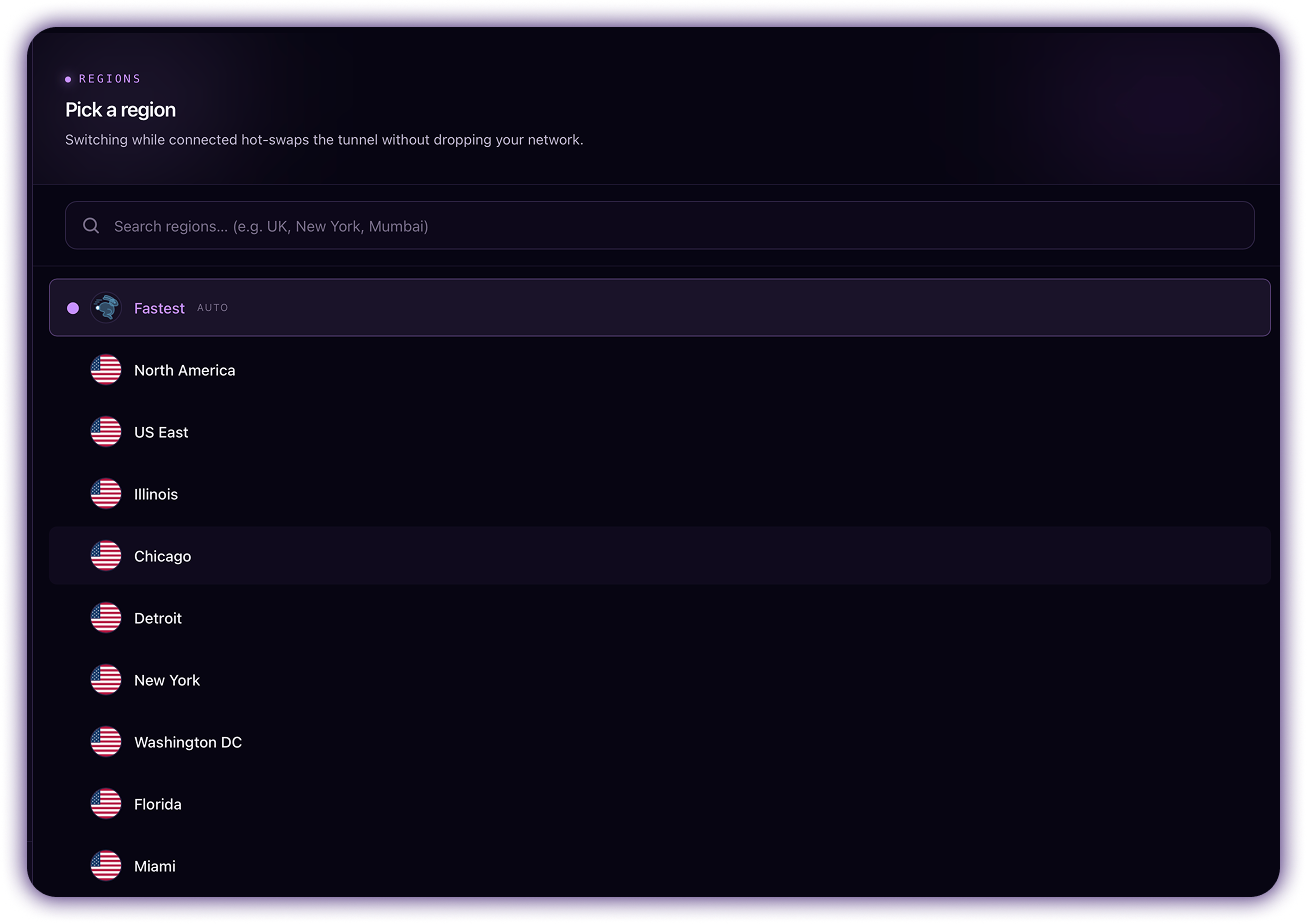
Choose your location.
Pick Fastest for everyday privacy or select a country when you need a specific VPN location.
- Use Fastest for automatic routing when you just want the best available connection.
- Switch to a specific country or city when websites, apps, or workflows need another visible location.
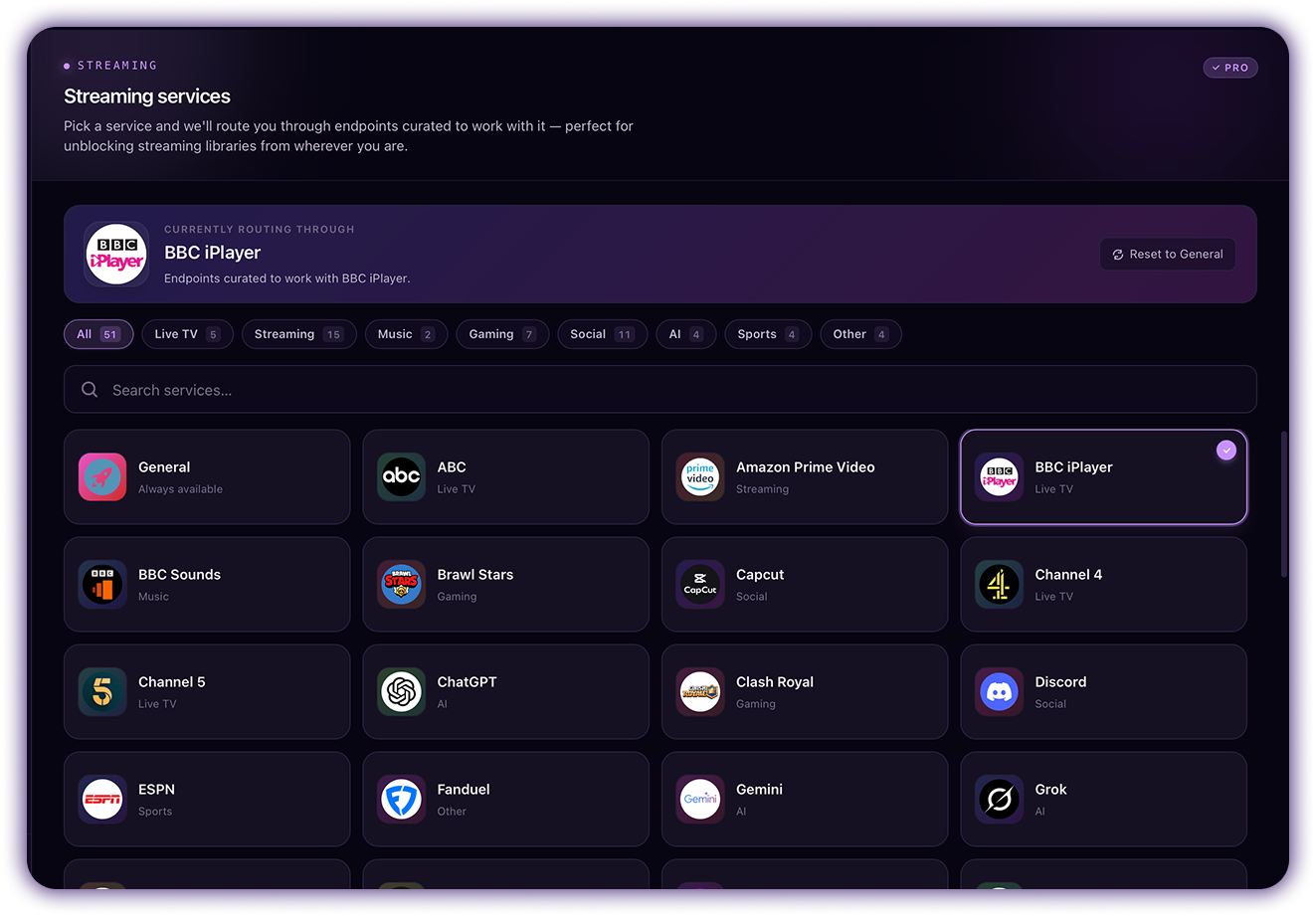
Tune VPN for what you do.
Switch between service modes for streaming, gaming, social, music, sports, AI, or general browsing.
- Choose a mode based on the app or activity instead of manually guessing the best VPN route.
- Keep General mode for everyday private browsing, then switch when you need a more focused setup.
Make the private path feel lighter.
Boost Speed helps keep browsing, streaming, and everyday app traffic feeling smooth while your VPN connection stays on.
- Turn Boost on when you want a faster-feeling route for browsing, streaming, or app traffic.
- Helpful when you want smoother everyday VPN performance without changing regions or modes.
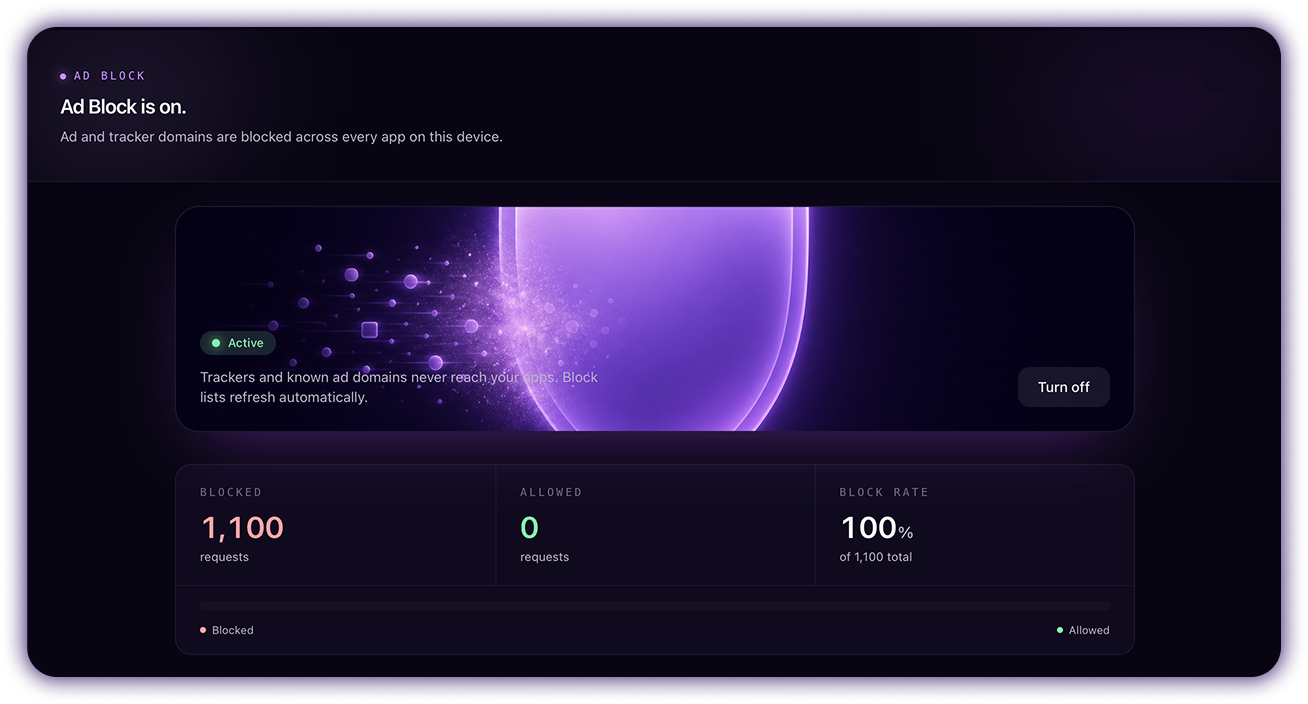
Cleaner web. Fewer distractions.
Block ads and trackers while connected, so browsing feels cleaner and more private.
- Filter ad and tracker domains while the VPN connection is active.
- Keep the control visible in the app so you can clearly turn Ad Block on or off anytime.
A smoother path through the internet.
See what the Windows app is doing.
A simple status view for the controls the app actually exposes: connection state, selected region, public IP, Boost Speed, and Ad Block.
Start free. Upgrade when you want uninterrupted VPN.
Start Free VPN on Windows instantly. Every premium plan includes the same controls; the difference is billing period and how much you save.
No signup. No email. No card.
Install the Windows app and start using recurring free VPN sessions immediately.
Short-term unlimited access when you only need premium VPN for a few days.
Get weeklyLowest yearly cost. Best for keeping Free VPN available for full-time Windows use.
Get annualFlexible month-to-month premium access with the same premium controls.
Get monthlyInstall Free VPN on Windows in minutes.
Fast, simple setup for Windows 10 and 11. No sign-up, no card, free to start.
Download the installer. Or paste one command.
Two clean ways to install Free VPN on Windows. Both get you to the same private one-click app.
The simple path is the Windows installer. The fast path is one PowerShell command. Both get you to the same private one-click VPN app.
Windows 10/11 · No sign-up · No card · Free to start
Privacy is freedom. This is your VPN.
Free to start. Simple to install. Built for Windows.