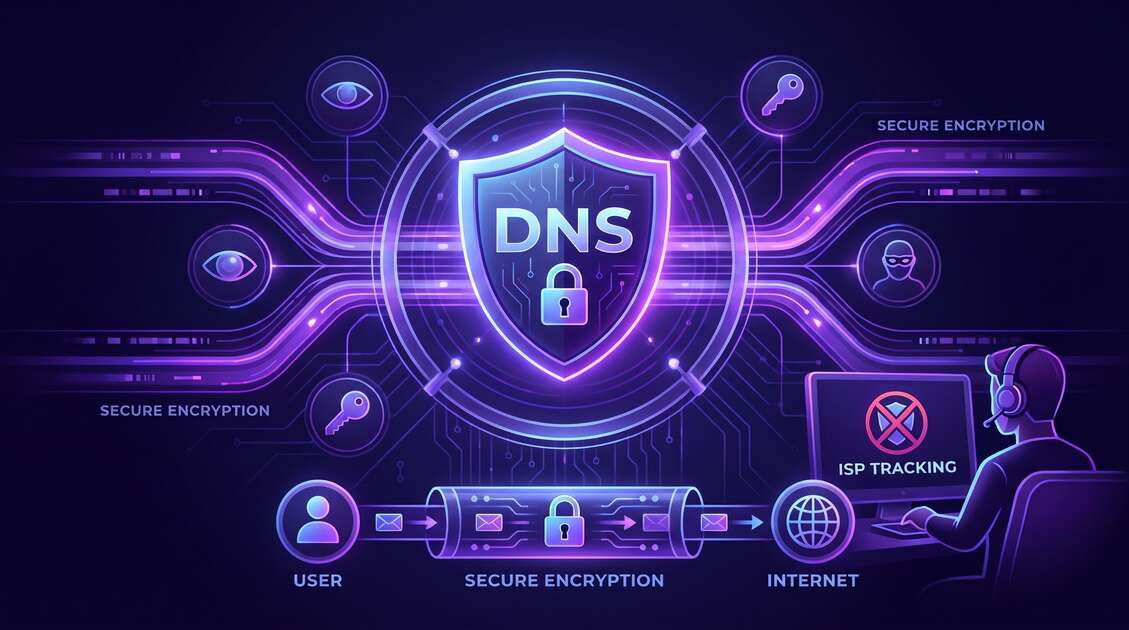
When you visit a website, your browser needs to know where it is. That's where DNS—the Domain Name System—comes in. It's like the internet's phone book, translating human-friendly website names into computer-readable IP addresses. But here's the problem: your DNS queries can expose your entire browsing history to your Internet Service Provider (ISP), advertisers, and other third parties—even when you're using HTTPS encryption. In this guide, we'll explore how DNS privacy works, the real risks you face, and how Free VPN protects your DNS queries from tracking.
What is DNS and Why Does it Matter?
DNS (Domain Name System) is a critical internet infrastructure that translates domain names into IP addresses. When you type "freevpnapp.org" into your browser, your device sends a DNS query asking: "What is the IP address for this website?" A DNS resolver then responds with the IP address so your browser can connect.
The problem: DNS queries are typically unencrypted. This means that any network between you and the DNS resolver can see exactly which websites you're visiting. Your ISP, your WiFi router, network administrators, and malicious eavesdroppers can all see your DNS queries in plain text.
Did You Know?
HTTPS encryption protects the content of your communication with websites, but DNS queries happen before the HTTPS connection is established. This means ISPs can see which websites you visit, even if they can't see what you do on those sites.
How ISPs Use DNS to Track Your Browsing
Your ISP is in a unique position to monitor your DNS queries. Every DNS request you make passes through their networks, and they can see every domain you visit. This creates a detailed profile of your browsing habits without any encryption protection.
What ISPs Can Learn From Your DNS Data
- Complete browsing history: Every website you visit, in real-time
- Personal interests: Health conditions, financial information, political views, religious beliefs
- Shopping habits: Which retailers and products you research
- Entertainment preferences: Streaming services, adult websites, gaming platforms
- Device usage patterns: When you're online, which devices you use, your location
- Sensitive information: Job searches, dating app usage, medical research
Warning: ISPs Monetize Your Data
Many ISPs sell anonymized DNS browsing data to advertisers, data brokers, and marketing companies. Even if they claim to anonymize it, researchers have demonstrated that this data can often be re-identified to track individual users.
DNS Privacy Risks You Need to Know About
DNS privacy risks go far beyond ISP tracking. Your DNS queries create multiple vulnerability points that expose your privacy and security:
1. Third-Party DNS Providers
When you use your ISP's default DNS resolver, they see your queries. But many people switch to "public" DNS services like Google DNS, Cloudflare DNS, or OpenDNS thinking they're safer. While these services often provide better performance and security features, they still see your DNS queries and can collect data about your browsing habits. Google DNS particularly is known to track users across its services.
2. Man-in-the-Middle Attacks
Unencrypted DNS queries can be intercepted by attackers on public WiFi networks or compromised networks. An attacker can intercept your DNS requests and serve you fake IP addresses, redirecting you to malicious websites that look like legitimate services. This is especially dangerous for banking, email, and sensitive services.
3. Website Profiling
Through DNS data, advertisers and data brokers can build detailed profiles of your interests and behaviors. These profiles are then sold to marketers, used for price discrimination, and shared with data brokers who compile comprehensive dossiers about you.
4. Location Tracking
Your DNS queries can reveal your physical location. Websites you visit often correlate with your geographic location, and combined with other data points, DNS queries can be used to track your movements.
Real-World Impact
Studies have shown that ISPs use DNS data to identify customers engaging in copyright infringement, to target users with specific ads based on browsing habits, and to sell this data to data brokers without user consent or knowledge.
The DNS Leak Problem
Even if you use a VPN, your DNS queries might still leak outside the encrypted tunnel—exposing your browsing to your ISP and other observers. This happens when:
- Your DNS settings are not properly configured within the VPN connection
- Your operating system bypasses the VPN for DNS queries and uses default resolvers
- WebRTC leaks occur exposing your real IP address (and sometimes DNS queries)
- The VPN provider routes DNS through third-party services without your knowledge
A DNS leak means your VPN is protecting your IP address and encryption, but your ISP can still see your complete browsing history through unencrypted DNS queries. This completely defeats the purpose of using a VPN for privacy.
How VPN Protects Your DNS Privacy
A properly configured VPN protects your DNS privacy by encrypting your DNS queries and routing them through the VPN's secure tunnel. Here's how it works:
VPN DNS Encryption
When you use Free VPN, all your DNS queries are encrypted and sent through the VPN tunnel to our secure DNS resolver. Your ISP cannot see which websites you're trying to visit because the DNS request is hidden inside the encrypted VPN connection. Only the VPN provider can see your DNS queries, and Free VPN has a strict no-logging policy.
Preventing ISP Monitoring
Free VPN makes it impossible for your ISP to monitor your browsing through DNS. Even though your ISP can see you're connected to a VPN, they cannot see the individual websites you visit. Your DNS queries are hidden from ISP inspection.
Protection on Public WiFi
On public WiFi networks where DNS is particularly vulnerable to interception, Free VPN encrypts all DNS traffic, preventing WiFi administrators, other users on the network, and attackers from seeing your DNS queries.
Pro Tip: Choose Trusted DNS
Free VPN uses reputable DNS providers with strong privacy policies. Always verify that your VPN encrypts DNS queries end-to-end and has a no-logging policy for DNS data.
Testing DNS Leaks with Free VPN
How do you know if your VPN is properly protecting your DNS? You can test for DNS leaks using free online tools.
How to Test Your DNS with Free VPN:
- Connect to Free VPN and select a VPN server location
- Visit a DNS leak test website like DNSLeakTest.com or ipleak.net
- Run the standard DNS leak test to see which DNS servers are being used
- Verify the results show Free VPN's DNS resolvers, not your ISP's DNS
- Check that your ISP is not shown in any DNS test results
- Test WebRTC for IP leaks to ensure your real IP address is hidden
If the test shows Free VPN's DNS servers and not your ISP's, your DNS privacy is properly protected. If you see your ISP's DNS servers, there may be a configuration issue that needs troubleshooting.
Best Practices for DNS Privacy
Protecting your DNS privacy requires a multi-layered approach beyond just using a VPN:
1. Always Use VPN for DNS Protection
Make DNS encryption non-negotiable. Always use Free VPN before connecting to any network, especially public WiFi. Enable the "Always On" or "Connect on Startup" feature to ensure your VPN is active whenever you're online.
2. Verify Your VPN's DNS Configuration
Test for DNS leaks regularly. Many VPN providers claim to protect DNS but have configuration issues. Regular testing ensures your DNS protection is working as intended.
3. Avoid Logging Into Personal Accounts Without VPN
Even with a VPN, avoid logging into personal accounts (email, social media, banking) without being connected. While the VPN hides your DNS, login information can still expose your identity.
4. Use HTTPS for All Websites
Always ensure websites use HTTPS (look for the lock icon). Combining HTTPS with VPN protection gives you the strongest privacy: encrypted website content plus hidden DNS queries.
5. Consider DNS-over-HTTPS (DoH) for Extra Protection
Some browsers support DNS-over-HTTPS, which encrypts DNS queries even before they reach your VPN. When combined with a VPN, this provides maximum DNS privacy.
6. Keep Your Software Updated
Operating system updates often include security improvements for DNS handling. Keep your device, VPN app, and browser updated to maintain protection against new DNS-based attacks.
Key Takeaways
- DNS queries expose your entire browsing history even when you use HTTPS
- ISPs, advertisers, and third-party DNS providers can see every website you visit
- VPN encrypts all DNS queries and prevents ISP and website tracking
- DNS leaks can reveal your location, activity patterns, and personal interests
- Regular DNS leak testing ensures your VPN is properly protecting your privacy
- Using VPN with trusted DNS providers provides maximum DNS privacy protection
Conclusion: Reclaim Your DNS Privacy
Your DNS queries reveal a complete picture of your online life—your interests, concerns, habits, and secrets. Without protection, ISPs, advertisers, and data brokers collect this information to build detailed profiles used for tracking, manipulation, and profit.
Free VPN encrypts your DNS queries and prevents ISP monitoring, website tracking, and third-party surveillance. By protecting your DNS, you reclaim control over your privacy and stop ISPs from profiting from your browsing data.
DNS privacy is not a luxury—it's a fundamental right. Download Free VPN today and encrypt your DNS queries instantly. No registration required. No data to sell. Just genuine privacy protection.