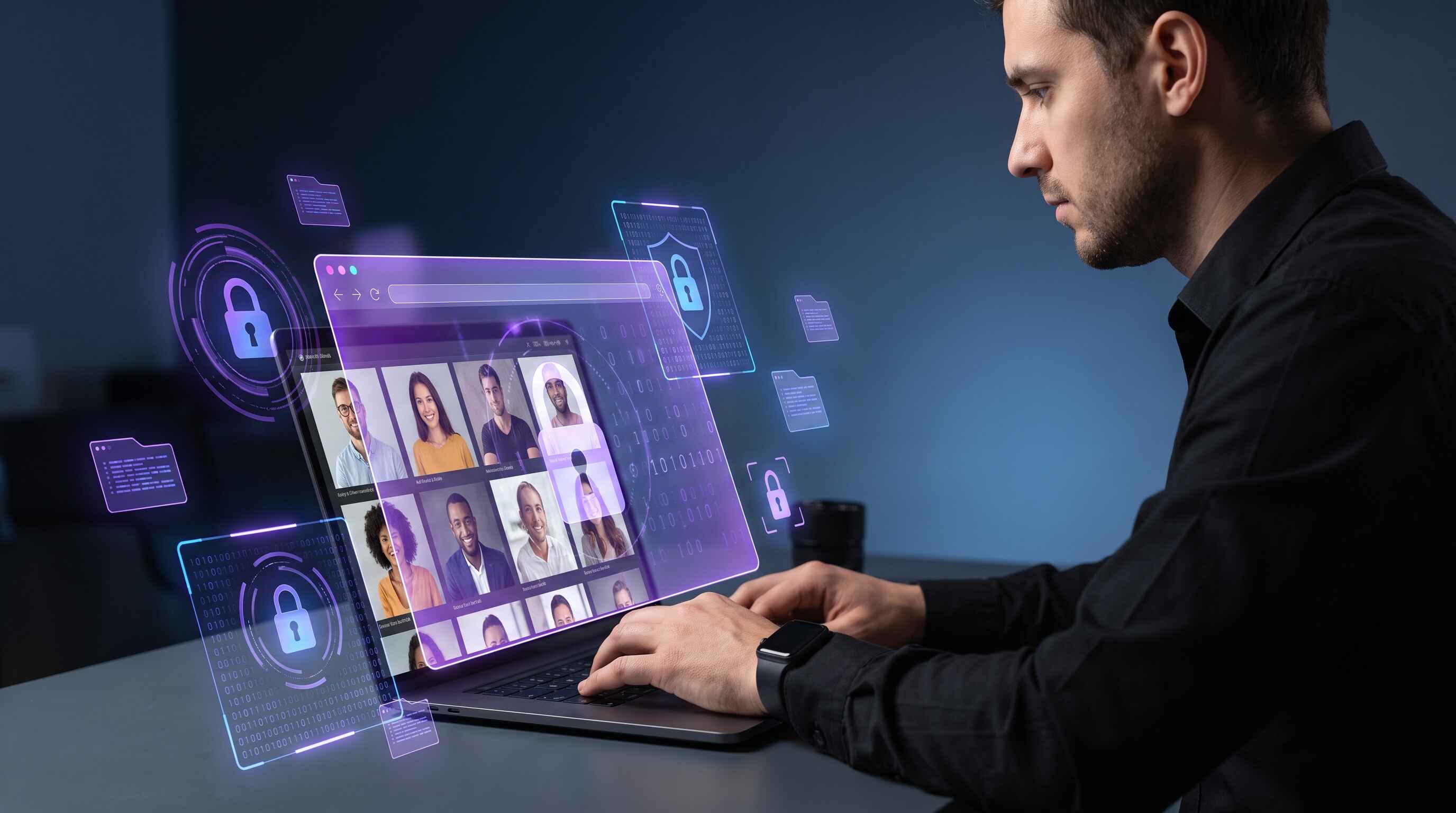
Photographers and videographers hold the most intimate moments of their clients' lives—weddings, births, family gatherings, personal celebrations. But beneath every cherished image lies a goldmine of sensitive personal data: home addresses, family member names, security system details, daily routines, and financial information. Combined with client contact details and payment records, your photo library and client database are now a prized target for ransomware gangs, data brokers, and cybercriminals worldwide. This guide explains why creative professionals are uniquely vulnerable, what data is at risk, and how a VPN combined with layered security can protect your creative legacy and your clients' privacy.
Why Photographers & Videographers Are Vulnerable
Creative professionals operate at the intersection of high-value data, mobile workflows, and limited cybersecurity budgets. Unlike larger enterprises with dedicated IT teams, most photographers and videographers work independently or in small teams, often handling their own tech infrastructure.
Your vulnerability stems from several converging factors:
- You collect ultra-premium personal data: Every photo shoot reveals client home addresses, family members, daily routines, and behavioral patterns worth $500–$2,000+ per client on the dark web.
- Mobile workflows expose you: You edit photos on-site at client locations, in coffee shops, hotels, and home offices—often on public WiFi networks without encryption.
- Small IT budgets: Most creative professionals allocate only 1–3% of revenue to cybersecurity, compared to 15%+ for enterprise organizations.
- Trust-based business model: You're expected to be accessible and client-focused, not security-obsessed. This creates cultural blind spots around data protection.
- Ransomware targeting surge: Attacks on creative professionals and design agencies increased 280%+ since 2023, with average ransom demands of $50K–$300K.
- Double-extortion pressure: Modern ransomware doesn't just encrypt—attackers steal your files, threaten to publish them online, and demand payment to prevent public release.
Sensitive Data at Risk
A single photo shoot can expose multiple categories of sensitive information. Let's break down what data you're collecting and why it's valuable to attackers:
Visual Data & Metadata
- Raw photo files – Home interiors, exterior landmarks, family members, jewelry, art collections, valuables visible in backgrounds.
- Video footage – Detailed documentation of home layout, security features, alarm system brands, camera placement, entry/exit points.
- EXIF data – GPS coordinates, dates/times, camera models (reveals photographer's equipment value).
- Edited final images – Client proofs and galleries often contain identifying information.
Client Personal Information
- Full names, phone numbers, email addresses, home addresses.
- Family member names, ages, children's information, spouse/partner details.
- Social media profiles linked to photo galleries.
- Event dates revealing when homes will be unoccupied (vacation photos, destination weddings).
Financial Data
- Credit card numbers and payment method information from booking/invoicing systems.
- Bank account details for ACH transfers and refunds.
- Invoice records revealing client wealth and spending capacity.
Business Continuity Data
- Client contact lists and booking calendars.
- Vendor information and supplier relationships.
- Portfolio and pricing details (competitive intelligence).
- Editing workflows and custom presets (intellectual property).
Real-World Impact: Double-Extortion Leverage
A ransomware attack against a Denver-based wedding photography studio in 2024 encrypted 8 years of client galleries. The attackers demanded $120K and threatened to publish intimate wedding and family photos on the dark web. The studio paid $85K to prevent client data exposure—but the reputational damage was permanent. Four major clients sued for negligence. The studio closed within 6 months.
Digital Threats & Attack Vectors
Several specific attack vectors target photographers and videographers:
Public WiFi Compromise (MITM Attacks)
When you edit photos on public WiFi—even with a locked laptop—attackers can intercept unencrypted login credentials, payment processing, and file transfers. Fake WiFi networks ("evil twins") at coffee shops and hotels can capture all your traffic without encryption.
Phishing & Social Engineering
Attackers pose as clients, vendors, or software vendors to trick you into revealing passwords, granting remote access, or downloading malware. A convincing fake "PayPal invoice" or "Adobe security alert" can compromise your entire workflow.
Weak Password & MFA Gaps
Many photographers reuse passwords across email, Dropbox, Adobe Creative Cloud, and banking systems. Without multi-factor authentication (MFA), a single breached password can unlock everything.
Ransomware via Supply Chain
Malware can arrive through compromised software updates (Adobe, Lightroom plugins), malicious email attachments, or trojans hidden in "free editing tools."
Cloud Misconfiguration
Improperly secured S3 buckets, Google Drive folders, or OneDrive accounts can expose terabytes of client photos to public access or attackers.
Mobile Device Compromise
Photographers often transfer files via smartphone apps or USB connections. Compromised devices can inject malware into your entire workflow.
Ransomware Targeting Creative Professionals
Ransomware attacks on design, photography, and creative agencies have surged dramatically. Here's why attackers specifically target creative professionals:
- High damage potential: Publishing client photos creates massive liability exposure and reputational harm, creating psychological pressure to pay.
- Valuable hostages: Client galleries are irreplaceable digital assets. Attackers know you can't recover without recent backups.
- Limited cyber insurance: Many creative professionals lack ransomware insurance, removing the third-party negotiator.
- Small-to-medium size: CTOs at design agencies typically have minimal budget for security tools, making SMBs ideal targets.
- Minimal network segmentation: Creative workflows often live on shared cloud drives with insufficient access controls.
- Time-critical pressure: Clients expect rapid turnarounds and photo delivery. An encrypted system disrupts schedules and creates business continuity crisis.
The Numbers
According to 2024 industry data, ransomware attacks on creative professionals increased 280% since 2023. Average ransom demands range from $50K–$300K. The true cost (lost revenue, incident response, legal liability) averages $200K–$1M per attack. Only 32% of creative professionals have incident response plans.
Mobile & Remote Work Risks
Your business model requires constant mobility. You shoot on location, edit at client sites, and manage bookings from anywhere. This mobility creates unique security challenges:
Public WiFi at Client Locations
When shooting at a wedding venue or family's home, you often connect to their WiFi to back up files or send previews. Their network security is unknown and potentially compromised.
Hotel & Travel Networks
Destination shoots mean hotel WiFi, airport lounges, and shared office spaces. These networks are frequently monitored by sophisticated attackers.
Client Home Networks
Connecting to a client's home WiFi means your computer is on the same network as their smart home devices, security cameras, and potentially compromised systems.
Mobile Hotspot Fallback
When WiFi isn't available, you rely on mobile hotspots—which can be slow, unreliable, and potentially intercept data if your phone is compromised.
USB Transfers & Physical Media
Transferring files via USB drives at client locations risks malware injection if either system is compromised.
Location & Physical Security Threats
Published photos and stolen location data create direct physical security risks for your clients:
Burglary Planning
A thief seeing your published photos of an upscale home's interior—jewelry on shelves, expensive artwork, high-value items—knows exactly what to steal and where to find it. Event dates visible in photo metadata reveal when the home is unoccupied.
Stalking & Harassment
Detailed photos with location data enable stalkers to identify where clients live, work, or spend time. Family photos published online create particular risk for clients with children.
Impersonation & Fraud
Stolen personal information combined with published photos enables identity theft, account takeovers, and impersonation scams.
Kidnapping & Extortion
In high-risk scenarios, location data combined with family photos can enable ransom demands targeting wealthy clients.
How VPN Protection Works for Photographers
A VPN acts as your first line of defense when editing photos on untrusted networks. Here's how it helps:
Public WiFi Encryption
When connected to a VPN, all traffic between your laptop and the VPN server is encrypted. Attackers on the coffee shop network cannot see your passwords, photo transfers, or payment data—even if they control the WiFi.
IP Address Masking
Your real IP address is hidden behind the VPN server's address. This prevents websites, ISPs, and attackers from tracking your location.
DNS Privacy
Without a VPN, your DNS queries reveal every website you visit. A VPN with DNS encryption prevents your ISP or network administrator from seeing that you're accessing your cloud backup, banking, or client management system.
Cloud Backup Protection
When uploading photos to Dropbox, Google Drive, or your backup service, a VPN ensures the upload connection is encrypted end-to-end.
Video Conferencing Security
Client consultations and team calls over Zoom, Teams, or Google Meet are more secure over a VPN, preventing eavesdropping on unencrypted networks.
Kill Switch Protection
If your VPN connection drops unexpectedly (network switch, WiFi loss), a VPN kill switch automatically disconnects your internet. This prevents data leaks if you're uploading sensitive files and the VPN drops.
Pro Tip: Always-On VPN for Photographers
Configure Free VPN with auto-connect enabled on your primary work laptop. This ensures every network connection—whether at home, client locations, or coffee shops—is automatically protected. The VPN should start before any background sync or application launch to prevent accidental unencrypted connections.
7-Layer Security Strategy for Creative Professionals
A VPN is essential but not sufficient. Protect your creative business with this comprehensive 7-layer strategy:
Layer 1: Always-On VPN with Auto-Reconnect
Use Free VPN with auto-connect enabled. Verify in your system settings that the VPN connects before any background processes launch. Test the kill switch to confirm it blocks all data if the VPN drops.
Layer 2: Full Device Encryption
Enable FileVault (Mac), BitLocker (Windows), or LUKS (Linux) on all devices that contain client data. If your laptop is physically stolen, encrypted drives are useless to thieves.
Layer 3: Strong Authentication & MFA
Use unique, 16+ character passwords for all critical accounts (email, cloud backup, Adobe, banking). Enable multi-factor authentication (authenticator app, hardware keys) for email, Dropbox, OneDrive, and banking. Never use SMS 2FA alone—it can be intercepted.
Layer 4: Encrypted Communications
Use encrypted email (Proton Mail, Tutanota) for sensitive client discussions. Verify client contact information before sending payment instructions. Use Signal or WhatsApp (encrypted by default) for client communications instead of unencrypted SMS.
Layer 5: Data Access Controls & Least Privilege
Limit cloud storage access—don't grant edit permissions to your entire team if only one person needs them. Use separate accounts for different functions (editing, invoicing, administration). Regularly audit who has access to sensitive folders.
Layer 6: Monitoring, Logging & Audit Trails
Enable login alerts on cloud storage and email accounts. Review account activity weekly. Set up alerts for unusual access patterns (login from new devices, mass downloads, off-hours access). Keep audit logs for at least 90 days.
Layer 7: Backups, Business Continuity & Incident Response
Implement automated, encrypted, offline backups of all client photos and business data. Test restores monthly. Create a written incident response plan: who to contact if ransomware is detected, how to isolate systems, when to involve law enforcement or cyber insurance, and how to communicate with affected clients. Maintain cyber liability insurance that covers ransomware incidents.
Key Takeaways
- Photographers and videographers handle ultra-premium client data worth $500–$2,000+ per shoot on the dark web, making them prime targets
- Client photos reveal home addresses, daily routines, family members, and security system details—enabling physical theft and stalking
- Ransomware attacks on creative professionals increased 280%+ since 2023, with average ransom demands of $50K–$300K
- Always use VPN with auto-reconnect before editing photos on public WiFi, at coffee shops, hotels, or client locations
- A VPN alone isn't enough—layer full device encryption, MFA, encrypted cloud backup, and regular monitoring for complete protection
- Double-extortion ransomware threatens to publish stolen photos online, creating massive reputational and financial damage
- Implement scheduled encrypted backups to prevent data loss and business continuity pressure that forces ransom payments
- Use VPN with kill switch to prevent accidental data exposure if the connection drops during file transfers or editing sessions
- Verify client location information never leaks through IP logging or unencrypted metadata in photo files
- Regular security audits, MFA on all accounts, and incident response planning are essential for modern creative businesses
Protecting Your Creative Legacy
Your photos are more than business assets—they're your clients' memories, their families' histories, and the foundation of your professional reputation. When you protect their data with VPN encryption, device security, and layered defenses, you're protecting something deeply personal.
Start today with a VPN on every device you use for work. Enable auto-connect so you're always protected, whether you're editing at your studio, at a coffee shop, or at a client's home. Layer in device encryption, strong authentication, and encrypted backups. Build an incident response plan and maintain cyber insurance. These investments—often less than $50/month—protect your clients, preserve your business, and honor the trust they place in you.
Your creative legacy is irreplaceable. Protect it like it matters.


